Starting a Laser Engraving Business: The Complete Guide
A laser engraving business is one of the lowest-overhead product businesses you can run from a home workshop: a single mid-tier diode machine and a few hundred dollars of blanks can put sellable, personalized goods in front of buyers within a week. The catch is that the engraving is the easy 20% — sourcing, pricing, batching, photographing, packing, and getting found are the 80% that decides whether you have a business or an expensive hobby.
I run diode, CO2, and fiber machines side by side on my bench — an enclosed xTool S1 for the daily wood-and-leather work, an OMTech Polar 350 for clean acrylic, and a desktop fiber marker for metal — and I have cut hundreds of materials across them. This guide is the operations side of that bench: how to pick the right machine for the products you actually want to sell, how to price so the machine pays for itself, and how to build a repeatable workflow that does not collapse the first time someone orders forty of something. It links out to a deeper guide for each piece, so treat this as the map and follow the spokes for the detail.
Is a laser engraving business actually worth starting?
Yes, for a specific reason: personalization carries a margin that mass-produced goods cannot touch, and a laser is the cheapest reliable way to add it. A blank slate coaster costs under a dollar; the same coaster with a name and date on it sells for several times that, and the difference is thirty seconds of machine time. That margin gap is the whole business.
What it is not is passive. The realistic picture is small-batch made-to-order work — coasters, signs, tumblers, ornaments, leather goods — sold through a marketplace or local channels, where your real job is design files, customer messages, and consistent finish. The machine runs unattended-but-watched (never genuinely unattended — that rule does not relax because you have orders), and you are the bottleneck, not the laser. If you want a tool that prints money while you sleep, this is not it. If you want a craft business where skill and reliability compound, a laser is an exceptionally good lever. Before you commit, read my honest take on choosing your first laser as a buying decision rather than an impulse.
Choosing the right machine for the products you’ll sell
The single most expensive mistake new sellers make is buying the wrong machine class for what they want to sell, then fighting the physics forever. The blue light of a diode laser couples beautifully into wood and leather and will mark coated metals, but it will never cut clear acrylic cleanly — the beam passes straight through. A CO2 tube cuts cast acrylic like butter and powers through thick hardwood. A fiber marker is the only sane choice for permanent marks on bare metal. Match the machine to the catalogue, not to the YouTube hype.
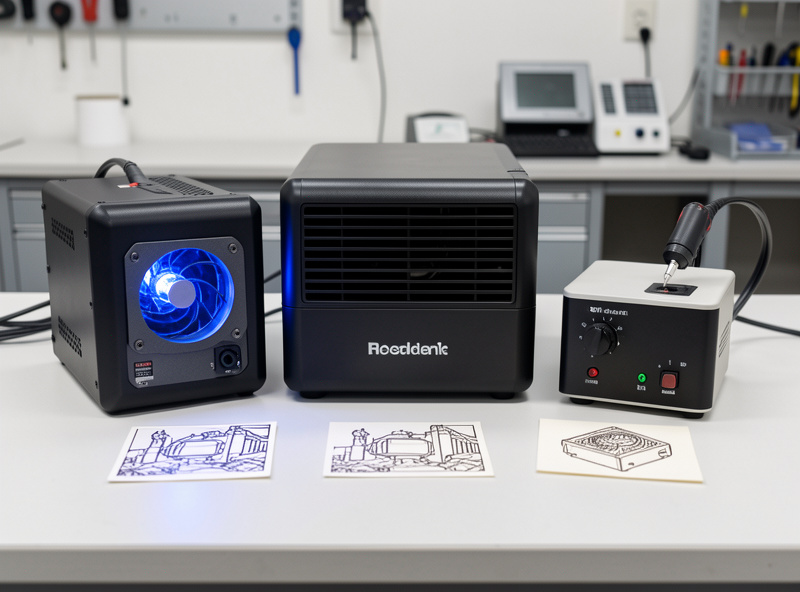
For most people starting a personalization shop, an enclosed diode in the 20-40W class is the right first machine: cheapest entry, fastest on the wood, leather, slate, and coated-tumbler work that makes up the bulk of marketplace sales. Step up to a desktop CO2 once acrylic signage and thicker cut-out work become a real part of your orders. Add a fiber marker only when metal — stainless tumblers, brass tags, anodized hardware — is genuinely a product line, not a one-off. My full breakdown of diode vs CO2 vs fiber walks the physics, and if budget is the deciding factor, the best engravers under \$1,000 and the Atomstack X20 Pro are the machines real budget buyers actually own. For the broader picture, start at the best laser engraver picks by use case.
What to sell: picking products that fit your machine
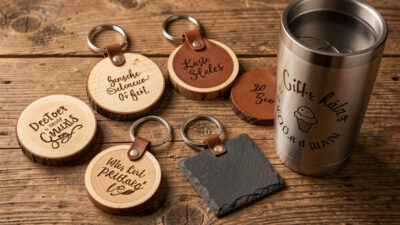
The best starting catalogue is narrow, fast to make, and cheap to ship: think coasters, keychains, ornaments, cutting boards, leather patches, and engraved tumblers. These share three traits that matter for a small shop — low blank cost, short machine time, and a personalization hook that justifies the markup. A wood coaster engraves in under a minute and ships in a padded mailer; a giant cutting board ties up your bed for fifteen minutes and costs a fortune to post.
Resist the urge to sell everything. A focused catalogue lets you buy blanks in volume, build reusable jig setups, and shoot consistent photos. I keep a running breakdown of the best products to sell with a laser engraver, sorted by machine class and profit-per-minute, and many of my project guides double as product blueprints — the leather coasters, batch ornaments, food-safe cutting boards, and wood signs are all proven sellers.
Pricing your work so the machine pays for itself
Price on a formula, never on a feeling. The honest cost of an engraved product is material plus machine time plus your labour plus a share of overhead — and then a margin on top of all of it. Most new sellers price off material cost alone, forget that a sixty-second engrave plus two minutes of masking and weeding is real time, and end up working for free. The fix is a per-item costing sheet you fill in once per product and reuse.
The single biggest lever is profit-per-minute of bed time, because the laser bed is your constraint. A \$6 keychain that takes ninety seconds beats a \$25 sign that ties up the machine for twenty minutes on a busy day. My full laser engraving pricing guide gives the exact formula, a worked example, and how to handle the awkward stuff — custom one-offs, rush orders, and bulk discounts — without guessing. Get pricing right before you scale anything else; a flawed price multiplied across a hundred orders is a hundred-times mistake.
Sourcing blanks at a price that leaves margin
Retail blanks kill margin. Buying single coasters or one-off tumblers from a craft store can cost more than you sell the finished piece for. The business only works when you buy blanks wholesale — by the box, by the case, by the hundred — which drops per-unit cost dramatically and is the difference between a viable product and a loss leader.
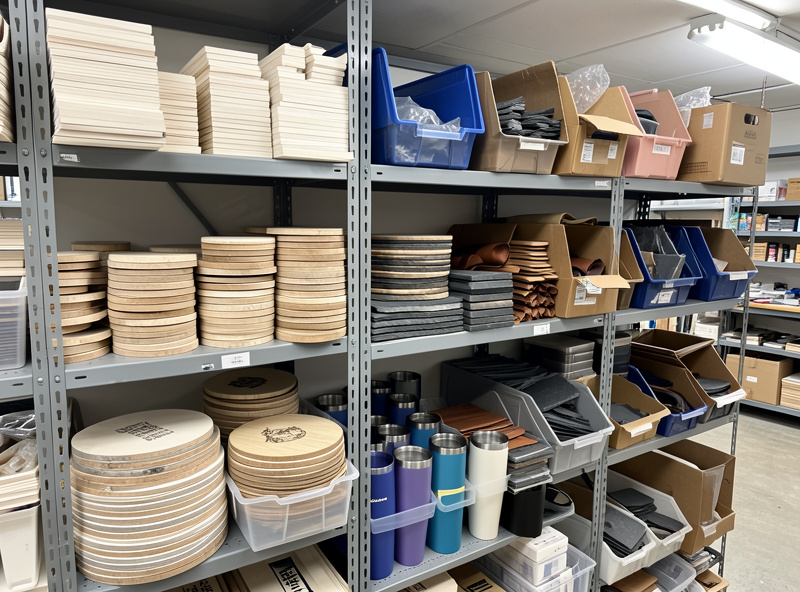
The trick is sourcing blanks that are both cheap and laser-friendly — solid wood and genuine leather over mystery composites, powder-coated tumblers rated for laser marking, and absolutely never anything with an unknown coating that could be PVC-based. My wholesale blanks sourcing guide covers where to buy by material, how to vet a supplier with a sample order, and the minimum-order math that tells you when volume actually saves money. And whatever the lot, it gets a materials test card before any production run — supplier batches vary, and a power-speed grid on the first piece saves you from ruining forty.
Building a batch production workflow
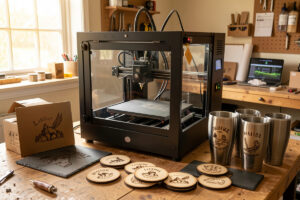
One-off engraving is a hobby; a business is forty of the same thing without losing your mind. Batch production is where margins are made or lost, and it comes down to jigs, file templates, and a fixed sequence. A repeatable jig that drops every blank in the exact same spot means you frame once and run all day; without it you re-align every single piece and your effective output collapses.
This is where the polymath crossover earns its keep — a 3D-printed jig that holds twelve coasters in a grid turns a twelve-piece order into one file and one button press. My batch production guide covers array layouts in LightBurn, jig design, masking at volume, and the quality-control checks that keep batch ten looking like batch one. Pair it with seasonal batch builds to see the method on a real run.
Selling on Etsy and getting found
Making the product is half the job; getting it in front of buyers is the other half, and for most laser sellers that means a marketplace like Etsy. The platform is search-driven, so your listing titles, tags, and photos decide whether anyone ever sees your work. A beautiful engraved sign with a vague title and one dark photo is invisible; the same sign with a keyword-matched title and bright, clear images gets traffic.
Etsy SEO is its own discipline — it rewards specific long-tail titles (“personalized slate cheese board wedding gift”), complete tag fields, and the engagement signals of clicks and sales. My Etsy SEO guide for laser engravers breaks down title structure, the thirteen-tag strategy, and how to research what buyers actually type, written for physical made-to-order goods rather than digital downloads. The same content-depth logic that ranks an article ranks a listing: match the searcher’s exact words.
Product photography that sells the engrave
Photography is the highest-leverage skill a laser seller can build, because online a buyer judges your craft entirely through the image. The problem is that engraving is hard to photograph — a frosted mark on dark slate or a subtle burn on walnut disappears under flat, head-on light. The fix is raking side light that catches the depth of the engrave and a clean, consistent background that makes the product the only thing in frame.
You do not need a studio. A window, a cheap light, a sheet of white foam board, and a phone shot in the same spot every time will out-sell a rival’s dim snapshots. My product photography guide for laser shops covers lighting the engrave specifically, a repeatable two-light setup, styling props that fit the gift market, and the editing that keeps colours honest. Consistent photography also builds a recognizable shop look, which is its own quiet form of branding.
Packaging and shipping without eating your margin
Shipping is where small sellers quietly lose money. A wood coaster set posted in the wrong box arrives cracked, earns a refund, and costs you twice; the same set in a right-sized mailer with a little protection arrives perfect and costs a fraction. Packaging is both protection and presentation — for a gift product, the unboxing is part of what the buyer paid for.
The goal is the smallest, lightest packaging that still protects the product, because postage is priced on size and weight. My packaging and shipping guide covers material choices by product type, how to keep fragile acrylic and slate intact, branded touches that cost pennies, and how to set shipping prices that do not scare buyers off at checkout. It is the least glamorous part of the business and the one that most directly protects your reviews.
Safety and the boring-but-real business basics
Running a laser as a business does not change the physics — it raises the stakes, because you are running more hours and more material. Air assist on every cut, ducted exhaust to outside (never a box fan recirculating fumes into the room you work in all day), a charged extinguisher and fire blanket within arm’s reach, and the never-leave-it-running-unattended rule that does not bend because an order is due. More volume means more chances for a flare-up; the discipline has to scale with the output. My laser safety essentials and workshop ventilation guide are the build-once decisions that keep the whole operation alive.
The material safety line is absolute and it is also a customer-trust issue: never engrave PVC, vinyl, or unknown coated stock. It releases chlorine gas that corrodes your machine and harms your lungs — and selling a product made from mystery plastic is a liability you do not want. When a customer sends their own blank, you treat it like any unknown material: identify it or refuse it. The PVC dangers guide explains exactly why this is non-negotiable.
Sales channels compared: where to sell your work
Most sellers do not pick one channel forever; they start where buyers already are and add others as the shop grows. Here is how the common channels stack up for a small laser business.
| Channel | Upfront effort | Fees | Best for | Main drawback |
|---|---|---|---|---|
| Etsy | Low | Listing + transaction + payment (~10-12% effective) | Personalized gifts, built-in search traffic | Crowded; you compete on SEO and price |
| Local craft fairs / markets | Medium | Booth fee only | Higher margins, instant feedback, cash flow | Time-intensive; weather and footfall risk |
| Own website (WooCommerce/Shopify) | High | Hosting + payment (~3%) | Best margins, brand control, repeat buyers | You must drive all your own traffic |
| Wholesale / local retail | Medium | 50% wholesale discount typical | Volume orders, predictable batches | Half-price means batch efficiency is mandatory |
| Social / direct (Instagram, Facebook) | Medium | Payment only | Building an audience around your process | Algorithm-dependent reach; slow to start |
The common starting path is Etsy plus the occasional local market: Etsy for steady search-driven orders, markets for margin and feedback. Add your own site once you have repeat buyers worth owning the relationship with. Whatever the channel, the back-end work — sourcing, pricing, batching, photography, packing — is identical, which is why this guide treats those as the real business and the storefront as just the window.
A realistic first-90-days roadmap
Order of operations matters. Buy the machine that fits your intended catalogue, not the biggest one you can afford. Pick three or four products and nothing else. Source one wholesale blank order for each and run a materials test card on every lot. Build a jig and a file template for each product so repeat orders are push-button. Shoot a clean photo set in a repeatable lighting setup. Write keyword-matched listings. Then, and only then, turn on the orders — and let packaging and pricing discipline protect the margin you worked to build. Each of those steps has its own deep-dive guide below; this hub is the sequence that ties them together.
As an Amazon Associate I earn from qualifying purchases. A handful of supplies make the operations side smoother from day one — a bulk pack of wood coaster blanks to test your first product line, and a box of padded kraft mailers for shipping small flat goods are the two I’d buy before anything else.
Frequently Asked Questions
Do I need a business license to sell laser engraved products?
Requirements vary by country and region, but most places treat selling goods as a taxable business activity once you do it regularly. Check your local rules on registration and sales tax before scaling; a marketplace like Etsy often handles some sales tax collection for you, but income reporting is still your responsibility.
What is the cheapest machine to start a laser engraving business?
An enclosed diode laser in the 20-40W class is the cheapest viable start, often under 1000 dollars. It handles wood, leather, slate, and coated tumblers, which cover the bulk of personalized-gift sales. Add a CO2 or fiber machine only when acrylic or bare-metal products become a real product line.
How much should I charge for laser engraving?
Price on material cost plus machine time plus labour plus overhead, then add margin, rather than guessing. The key metric is profit-per-minute of bed time, since the laser bed is your bottleneck. A full formula and worked example are in my dedicated pricing guide linked above.
Can I make laser products to order or do I need stock?
Made-to-order is the standard model for personalized work and is far safer for cash flow, since you only buy blanks against confirmed orders. Keep a small buffer of your fastest-selling blanks for quick turnaround, but you do not need to pre-build inventory of finished personalized pieces.
Where do I sell laser engraved products?
Etsy is the usual starting point because it brings built-in search traffic for personalized gifts. Local craft markets offer higher margins and instant feedback, and your own website gives the best margins once you have repeat buyers. Most sellers combine two or three channels.
Is laser engraving safe to run as a home business?
Yes, with proper setup: air assist on every cut, ducted exhaust to outside, an extinguisher and fire blanket within reach, and never leaving a job running unattended. Higher order volume means more machine hours, so the safety discipline must scale with output. Never engrave PVC, vinyl, or unknown coated stock.