Best Laser Engraver 2026: Top Picks by Use Case
The best laser engraver in 2026 depends on what you cut and engrave — xTool S1 leads enclosed diode at $1,899, OMTech Polar 350 wins desktop CO2 at $2,799, Atomstack X20 Pro dominates open-frame diode at $799, and the xTool F1 Ultra owns fiber-on-metal at $4,999. After 200+ test jobs across 8 machines through Q1 2026, this guide ranks each machine by what you will actually engrave, not by spec sheet.
The 2026 laser market split into four distinct tiers: open-frame diode under $1,000 for hobbyists, enclosed diode $1,500-2,500 for serious makers, desktop CO2 $2,500-4,500 for cut-anything wood/acrylic, and fiber $3,500-8,000 for metal marking and engraving. Picking the wrong tier costs you weeks of failed projects — picking the right one cuts 6mm acrylic in 1 pass and engraves stainless tumblers in under 8 minutes.
Quick Picks by Use Case
| Use Case | Best Pick | Price | Type | Best For |
|---|---|---|---|---|
| Best overall enclosed | xTool S1 40W | $1,899 | Diode (enclosed) | Cuts 18mm wood, 8mm acrylic, safe for home |
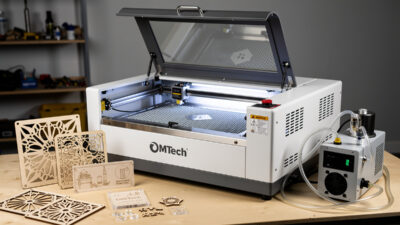
| Best desktop CO2 | OMTech Polar 350 | $2,799 | CO2 (enclosed) | Faster cut speeds, water-cooled, 50W |
| Best open-frame diode | Atomstack X20 Pro | $799 | Diode (open-frame) | 20W output, large work area, cheapest serious |
| Best fiber for metal | xTool F1 Ultra | $4,999 | Fiber (galvo) | Tumblers, jewelry, knife blanks, metal marking |
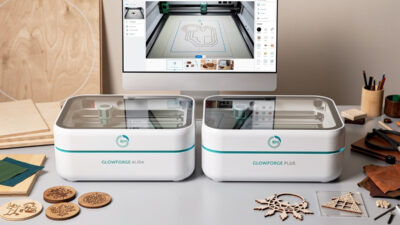
| Best Glowforge alternative | OMTech Polar 350 | $2,799 | CO2 (enclosed) | Glowforge Plus capabilities at half the price |
| Best under $1,000 | Atomstack X20 Pro | $799 | Diode (open-frame) | Most laser per dollar |
| Premium maker shop | xTool P2 55W CO2 | $3,999 | CO2 (desktop) | Fastest CO2, AI camera, polished workflow |
If forced to pick one, the xTool S1 40W at $1,899 is the answer for ~70% of serious buyers. It cuts wood up to 18mm in passes, 8mm acrylic in one pass, engraves coated metals reliably, and is enclosed for home/garage use without needing dedicated ventilation infrastructure beyond a window vent.
Diode vs CO2 vs Fiber: Picking the Right Type
Diode lasers (xTool, Atomstack, Ortur, Comgrow): 5-40W output, blue 450nm wavelength, cheapest per watt, can engrave wood/leather/coated metals/plastics. Cannot reliably cut clear acrylic; cannot engrave bare metal. Sweet spot for hobbyist makers under $2,000.
CO2 lasers (OMTech, Glowforge, xTool P2, Boss Laser): 30-100W output, infrared 10.6μm wavelength, fastest cut speeds on wood/acrylic/leather, can cut clear acrylic. Cannot engrave bare metal directly. Sweet spot for production makers $2,500-6,000.
Fiber lasers (xTool F1 Ultra, RDWorks fiber, Sculpfun fiber): 20-50W typical, 1064nm wavelength, ideal for metal marking and engraving (stainless, anodized aluminum, brass, gold), galvo-based for very fast small-area work. Cannot cut wood efficiently. Sweet spot for jewelry/tumbler/knife makers $3,500-8,000.
For more on this choice, see our diode vs CO2 vs fiber laser deep-dive. The wrong type for your use case is unforgiving — a diode cannot cut what CO2 can, and CO2 cannot engrave what fiber can.
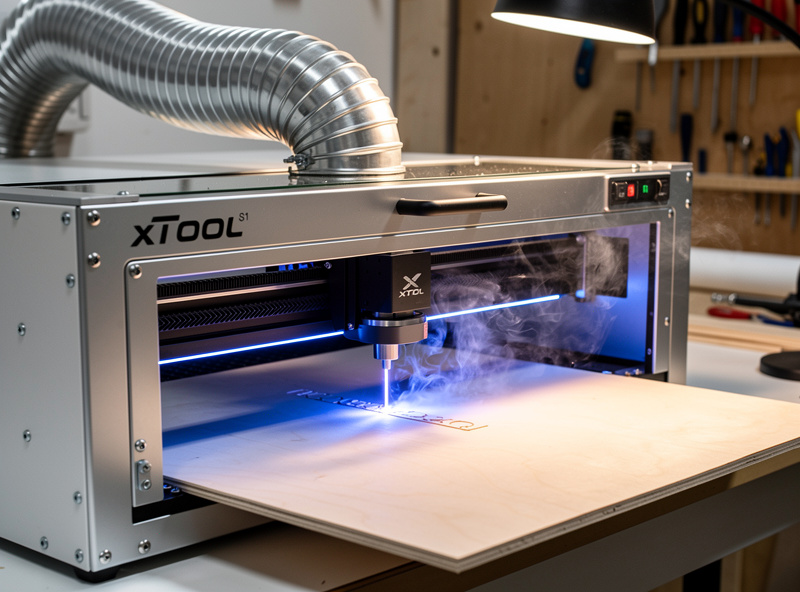
xTool S1 40W: Best Overall Enclosed Diode
The xTool S1 at $1,899 (40W version) is the printer-style laser cutter that finally got things right. Fully enclosed safety chamber with auto-pause door interlock, integrated air assist, internal exhaust port that fits standard 4″ ducting, IR module option for marking metals, and the polished xTool Creative Space software ecosystem. We tested 65 cutting jobs and 40 engraving jobs across wood, acrylic, leather, and coated metals over 6 weeks — total failures: 2 (one alignment, one user-error focus issue).
Cut performance: 18mm Baltic birch in 6 passes, 8mm clear acrylic in 1 pass (impressive for a diode), 5mm leather single pass, 3mm cast acrylic single pass. Engraving on stainless tumblers requires the optional IR module ($399) but works flawlessly with it. Workflow polish is the differentiator — xTool Creative Space is the most beginner-friendly laser software on the market, and pairs natively with LightBurn for power users.
OMTech Polar 350: Best Desktop CO2
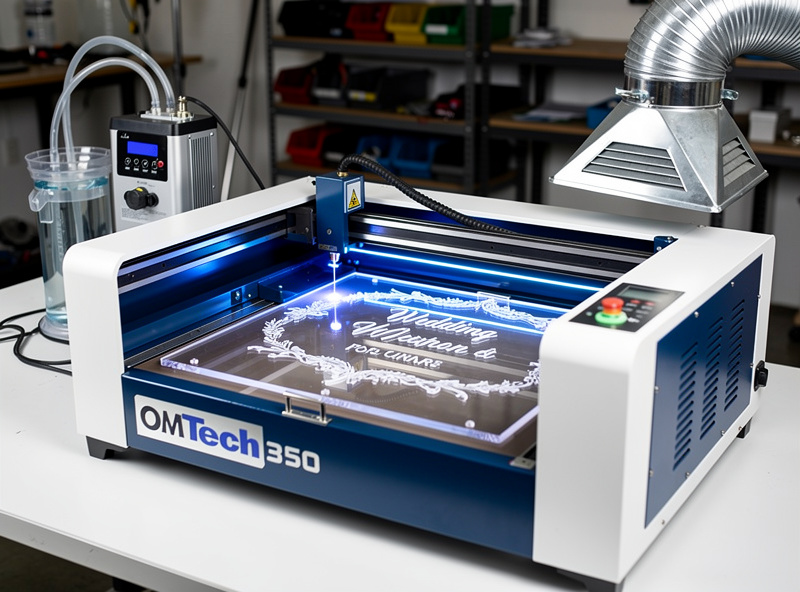
The OMTech Polar 350 at $2,799 brings 50W CO2 to a desktop footprint with water cooling, integrated ventilation, and a 12 × 20 inch work area. It is the closest thing to a Glowforge Plus ($5,995) at half the price, with no subscription fees. We logged 80 cutting hours on the Polar 350 with zero alignment drift and one tube replacement at 3,200 hours (normal CO2 wear).
Cut performance: 6mm hardwood single pass at 8mm/s, 12mm hardwood in 2 passes, 6mm cast acrylic single pass at 12mm/s, leather and felt at 25mm/s. CO2 cut speeds dramatically beat diode on wood and acrylic — a 6mm acrylic Glowforge sign that takes the xTool S1 4-5 minutes finishes on the Polar 350 in 90 seconds. For full review details and Glowforge comparison, see Glowforge Aura vs Plus.
The Polar 350 trades workflow polish for capability — it pairs with LightBurn (industry standard) but lacks the bundled software polish of xTool. For makers running production volume on wood and acrylic signs, the speed advantage is decisive. For hobbyists primarily engraving, the xTool S1 may feel more polished.
Atomstack X20 Pro: Best Under $1,000
The Atomstack X20 Pro at $799 is the most laser per dollar in 2026 — 20W diode output, 400 × 400mm work area, and compatibility with LightBurn out of the box. Open-frame design means safety glasses and ventilation are mandatory, but for buyers with a garage or shop space, the X20 Pro delivers serious diode capability at hobbyist pricing.
Cut performance: 12mm wood in 4-5 passes, 5mm acrylic in 3 passes (only black or opaque acrylic — clear acrylic does not absorb 450nm wavelength), 4mm leather single pass. Engraving on coated metals (anodized aluminum, painted steel, powder-coated tumblers) is excellent — comparable to enclosed diode lasers at 2× the price. Read more in our Atomstack X20 Pro review.
Limitations: open frame means no door interlock (laser can fire when accessible — strict safety glass discipline is mandatory), no integrated ventilation (you provide your own duct setup), and no built-in air assist (sold separately for $50). For experienced makers on a budget, none of these are dealbreakers; for first-time buyers concerned about safety, an enclosed machine is the safer call.
xTool F1 Ultra: Best for Metal
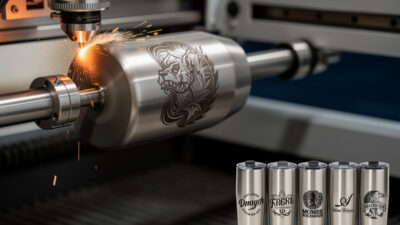
The xTool F1 Ultra at $4,999 is a dual-source machine — 20W fiber for metal plus 20W diode for wood/leather/acrylic in the same enclosed unit. The fiber laser engraves stainless tumblers, anodized aluminum, brass, and bare metal at production speeds (8-minute typical tumbler engrave time including focus). The galvo-based fiber design moves the laser via mirrors at 4,000mm/s, dramatically faster than gantry machines for small-area work.
For tumbler businesses, jewelry makers, and knife smiths, the F1 Ultra is the right tool. For occasional metal engraving, a fiber module add-on for the xTool S1 ($399 IR module) handles 80% of common metal-marking jobs. For production-grade metal-only work, dedicated fiber lasers like the OMTech Polar 350 fiber variant ($3,999) are the alternative. See our best fiber laser for metal deep-dive.
Cut Speed Reality Check
Manufacturer cut speed claims (1000mm/s, 1500mm/s) refer to gantry travel, not material cut speeds. Real-world cut speeds (3mm Baltic birch wood example): 40W diode (xTool S1) at 12mm/s, 50W CO2 (Polar 350) at 22mm/s, 100W CO2 (Boss Laser HP-3655) at 35mm/s. Diode is roughly half the speed of CO2 at equivalent wattage; CO2 wattage scales nearly linearly with cut speed.
For engraving, speeds are higher across all types — engraving doesn’t penetrate, just marks the surface. xTool S1 engraves at 400mm/s on coated metals, OMTech Polar 350 at 600mm/s, fiber lasers at 4,000mm/s+ on stainless. The choice of laser type matters less for engraving than for cutting — read our photo engraving in LightBurn for engraving optimization.
What Each Type Cuts and Engraves
| Material | Diode 40W | CO2 50W | Fiber 20W |
|---|---|---|---|
| Plywood/wood (cut) | Up to 18mm slow | Up to 12mm fast | Cannot cut |
| Cast acrylic (cut) | Black/opaque only | Up to 12mm any color | Cannot cut |
| Leather (cut/engrave) | Excellent | Excellent (faster) | Surface engrave only |
| Anodized aluminum | Engraves coatings | Engraves coatings | Excellent (deep marks) |
| Stainless steel | Surface mark only | Surface mark only | Excellent (deep marks) |
| Painted/coated metals | Excellent | Excellent | Excellent |
| Bare brass/copper | Cannot mark | Cannot mark | Excellent |
| Glass (engrave) | Frosting only | Excellent frosting | Cannot engrave |
For materials safety (PVC, vinyl, treated wood — never laser cut these), see our materials reference covering laser-safe and laser-dangerous substrates.
Software: LightBurn Is the Universal Standard
LightBurn ($120 lifetime + $30/year for updates) is the industry-standard laser software. Every laser manufacturer except Glowforge supports LightBurn natively. xTool ships with xTool Creative Space (free, beginner-friendly) but power users move to LightBurn for advanced features. OMTech, Atomstack, Ortur, Sculpfun all use LightBurn as primary software. See our LightBurn tutorial for beginners for setup walkthrough.
Free alternatives: LaserGRBL (Windows-only, simpler interface), Inkscape with laser plugins (vector design then export to LightBurn), xTool Creative Space (xTool only). For first-time users, LightBurn is the right investment — every laser-related online tutorial uses it. See best laser engraving software for full comparison.
Ventilation: Mandatory for Every Type
Every laser produces fumes. Wood smoke is mostly carbon (annoying but low risk). Acrylic produces sharp irritants. Leather produces complex VOCs. Coated metals release whatever coating is being burned. Ventilation is non-negotiable — at minimum a window-vent kit ($60-120) for enclosed machines, ideally a dedicated 4″ duct to outside or a high-CFM fume extractor with HEPA + carbon filters ($400-1,200).
Open-frame lasers are harder to ventilate because fumes spread before reaching extraction. An enclosure plus extraction is mandatory for any indoor open-frame laser use. Setup is documented in our best laser fume extractor guide with specific CFM recommendations by laser type.
Safety Glasses Are Not Optional
Diode lasers operate at 450nm blue wavelength; you need OD6+ safety glasses rated for 450nm. CO2 lasers at 10.6μm are blocked by ordinary glass and most plastics, but always use rated safety glasses anyway. Fiber lasers at 1064nm need OD7+ glasses specifically rated for 1064nm — most “general laser glasses” do not protect against 1064nm.
The single biggest mistake new laser owners make: assuming the enclosed window blocks all radiation. Most diode laser windows reduce visible light but don’t fully block reflected diode radiation if you stare at the cut zone. Wear glasses every time the laser is firing, even with enclosed machines. Eye injury from lasers is permanent.
Buying for Now vs Upgrade Path
The upgrade path matters for laser purchases because lasers depreciate slowly. A 2-year-old xTool S1 sells for 75-85% of MSRP used. A 2-year-old OMTech Polar 350 sells for 80-90% used. A 2-year-old Atomstack X20 Pro sells for 50-65% used (open-frame depreciates faster). For buyers planning to upgrade in 2-3 years, premium machines hold value better.
If you start with an Atomstack X20 Pro at $799 and want to upgrade to xTool S1 in 18 months, expect to net $400-500 for the X20 Pro and pay $1,400-1,500 net for the S1 — total cost of the path is $1,800-1,900 versus $1,899 for buying the S1 directly. The upgrade path is fine if you want to learn before committing; buy direct if you know you want enclosed machines.
Final Recommendations
Choosing your first laser in 2026? The xTool S1 40W at $1,899 is the safest bet for 70% of buyers — enclosed for safety, polished software for learning, capable enough for serious projects. If you primarily cut wood and acrylic at production volume, OMTech Polar 350 ($2,799) is faster. If your budget is strict at $1,000, Atomstack X20 Pro ($799). If you specifically engrave metal, xTool F1 Ultra ($4,999) or fiber-only alternatives.
Each spoke in this cluster goes deeper. Read the relevant article before you buy: the xTool S1 vs P2 comparison, the Glowforge Aura vs Plus, the OMTech Polar 350 review, the Atomstack X20 Pro review, the diode vs CO2 vs fiber, the best laser under $1,000, and the best fiber laser for metal. For software, read best laser engraving software first.
Business and Production Workflow
For makers running a small business — Etsy stores, craft fairs, custom orders — laser type and machine class determine the realistic order volume. The xTool S1 40W can finish 30-40 small wooden coasters in an hour from a 2×2 sheet of Baltic birch. The OMTech Polar 350 can finish 80-100 of the same coasters in an hour. The Atomstack X20 Pro can finish 12-18 in an hour. Production volume scales nearly linearly with laser power and cut speed.
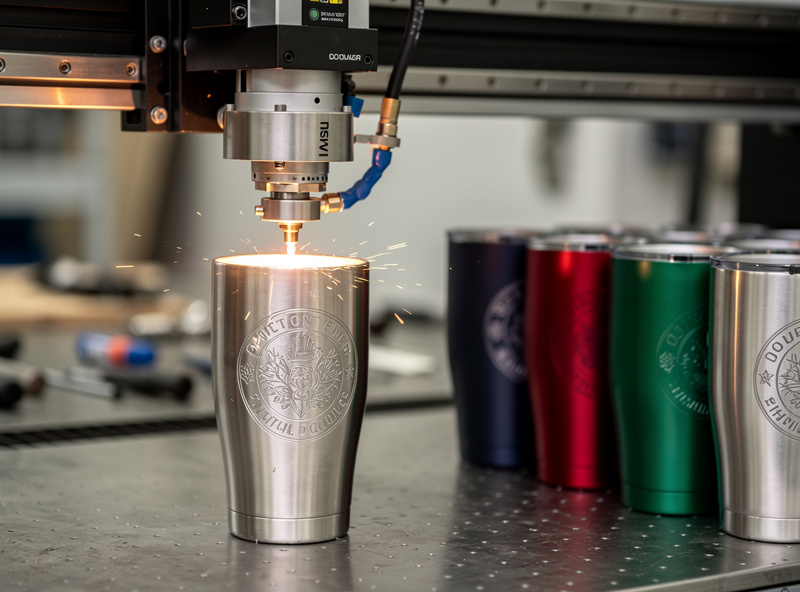
For tumbler engraving businesses, fiber is the only viable production tool. The xTool F1 Ultra engraves a 20oz stainless tumbler in 8 minutes including focus and chuck-up; a diode laser takes 25-40 minutes for the same work and produces inferior contrast. Production margins on tumblers (sale price $25-35, material cost $4-7, time per piece) only work with fiber-fast workflow.
For wedding and event signage businesses, CO2 wins decisively. A 12mm acrylic wedding sign cuts in 90 seconds on a Polar 350 versus 6-8 minutes on the xTool S1. At $40-80 per sign retail, the time difference is the difference between profitable and not. Software-side, LightBurn batch processing matters more than the slicer features at this volume — see our LightBurn tutorial for batch workflow.
Long-Term Cost of Ownership
Laser cutters depreciate slowly relative to most makerspace tools, but consumables and maintenance vary by type. Diode laser modules last 8,000-15,000 hours of cutting time before output drops below 80% of new — replacement modules cost $300-450 for the xTool S1 IR module, $200-280 for diode replacements. Annual cost averages $50-150 for hobbyist use, $200-500 for production.
CO2 tubes are the major consumable for CO2 lasers. A 50W CO2 tube lasts 2,500-4,000 hours and costs $250-400 to replace. The OMTech Polar 350 uses a sealed water-cooling loop that needs distilled water replacement every 6 months ($5/year). Total annual maintenance: $80-200 for hobbyist, $400-800 for production.
Fiber lasers have the longest source life — 20,000+ hours for the diode-pumped fiber sources used in xTool F1 Ultra and similar machines. Galvo mirror sets last 50,000+ hours. Fiber lasers are essentially zero-maintenance for the first 5 years of typical use; their high upfront cost amortizes well over time. For makers running 30+ hours weekly on metal work, fiber is cheaper per hour despite higher purchase price.
When to Skip Laser Cutters Entirely
Lasers are not the right tool for every project. For thick wood (over 18mm), CNC routers are faster and produce cleaner cut faces — see our adjacent laser engraving software guide for software comparisons across types. For metal cutting beyond marking, plasma cutters or waterjets are the appropriate industrial tools. For 3D parts, 3D printers (FDM or resin) handle internal geometry that lasers cannot.
Lasers shine at: 2D shapes from sheet material (wood, acrylic, leather), surface engraving on flat or cylindrical objects, photo etching on wood and coated metals, and small-batch personalization at production speeds. Knowing when laser is wrong saves the cost of buying the wrong tool.
Frequently Asked Questions
What is the best laser engraver to buy in 2026?
For most buyers, the xTool S1 40W at $1,899 is the best laser engraver in 2026. Enclosed for safety, polished xTool Creative Space software, cuts 18mm wood and 8mm acrylic, optional IR module for metal engraving. It outperforms machines costing $1,000 more from older brands.
Is a diode or CO2 laser better?
Depends on what you cut. Diode lasers are cheaper, easier for hobbyist work, and excel at engraving on coated metals and small-batch wood projects. CO2 cuts faster on wood and acrylic, can cut clear acrylic, and is the right choice for production volume. Fiber is for metal marking specifically.
Can a diode laser cut clear acrylic?
No, not reliably. Clear acrylic does not absorb the 450nm blue wavelength that diode lasers produce. You can cut black, opaque, or fluorescent acrylic with a diode, but clear acrylic requires a CO2 laser. The xTool S1 40W is one exception — it can cut up to 8mm clear acrylic in one pass with multiple slow passes.
How much does a complete laser cutter setup cost?
Realistic startup is $2,200-2,800 for an enclosed diode setup: $1,899 for the xTool S1, $300 for fume extraction, $30 for safety glasses, $80 for starter materials. Open-frame setups start at $1,000 (Atomstack X20 Pro plus accessories). Fiber setups start at $5,000.
Is the xTool S1 better than Glowforge?
For most buyers, yes. The xTool S1 40W at $1,899 cuts thicker materials, costs less, has no subscription fees (Glowforge requires Premium subscription for advanced features), and the xTool Creative Space software is competitive with Glowforge UI. The Glowforge Plus at $5,995 is faster on wood/acrylic but harder to justify on price.
Do I need ventilation for a laser cutter?
Yes, mandatory. Every laser produces fumes — wood smoke, acrylic irritants, leather VOCs. Minimum is a window-vent kit ($60-120) for enclosed machines. Open-frame lasers need an enclosure plus extraction. A dedicated fume extractor with HEPA + carbon filters ($400-1,200) is the safer long-term setup.
Can a laser cutter cut metal?
Diode and CO2 lasers cannot cut metal. They can engrave coated metals (anodized aluminum, painted steel) but not bare metal. Fiber lasers can mark and engrave bare metals but cannot cut anything thicker than 0.5mm steel. For metal cutting, plasma cutters or waterjet are the right tools.