The Complete Beginners Guide to Laser Cutting and Engraving
What Is Laser Cutting and Engraving, Really?
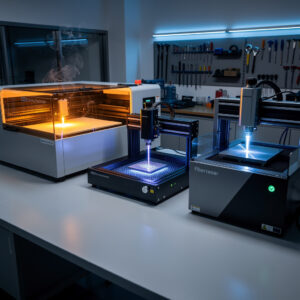
Laser cutting and engraving technology has transformed from industrial manufacturing floors to kitchen tables, garage workshops, and small businesses worldwide. A laser cutter directs a highly concentrated beam of light through optics and computer numerical control (CNC) to cut or engrave material with remarkable precision. The word “laser” itself stands for Light Amplification by Stimulated Emission of Radiation, but what matters for beginners is understanding how this technology can turn your creative ideas into physical reality.
The magic happens when the laser beam, typically invisible to the naked eye, strikes the material surface. At the point of contact, the intense heat either vaporizes the material (cutting) or discolors it (engraving). The computer-controlled head moves in X and Y axes, following vector paths you design in software, while the material sits stationary on a bed below. This combination of precision, speed, and repeatability makes laser technology accessible to hobbyists and professionals alike.
Before diving into specific machine types, it is essential to understand what separates cutting from engraving. Cutting involves passing the laser beam completely through the material, separating it into distinct pieces. This requires sufficient power density to vaporize the material along the cut line. Engraving, on the other hand, removes material only from the surface layer, creating permanent marks, text, or images without cutting through. Many laser systems excel at both operations, making them versatile tools for countless applications from custom signage to personalized gifts to functional prototyping.
CO2 Lasers: The Versatile Workhorse
CO2 lasers dominate the hobbyist and small business market for good reason. These machines use a gas mixture of carbon dioxide, nitrogen, hydrogen, and helium excited by electrical discharge to produce an infrared laser beam at 10.6 micrometers wavelength. This wavelength is readily absorbed by organic materials, making CO2 lasers exceptionally effective on wood, acrylic, leather, fabric, paper, and certain plastics.
The typical CO2 laser for beginners ranges from 40 watts to 100 watts, though industrial versions can reach thousands of watts. For most hobbyists and small business owners, a 50-watt to 80-watt machine provides the sweet spot between capability and affordability. These machines typically offer work areas from 12×20 inches up to 24×36 inches, accommodating everything from jewelry pieces to large signage panels.
Key advantages of CO2 lasers: They cut acrylic and wood beautifully, engrave leather and fabric cleanly, and handle paper and cardboard with precision. The technology is mature, well-documented, and parts are readily available. CO2 lasers also engrave coated metals and anodized aluminum effectively, opening possibilities for personalized electronics and industrial marking.
Limitations to consider: CO2 lasers cannot cut bare metals directly without special assist gases or extremely high power. They require more substantial cooling systems and ventilation than diode alternatives. The glass laser tubes have finite lifespans, typically rated for 2,000 to 10,000 hours depending on quality and usage patterns. Maintenance involves cleaning mirrors, aligning the beam path, and eventually replacing the laser tube.
For beginners entering laser technology, CO2 machines offer the most balanced approach to learning. They handle the widest variety of materials hobbyists typically work with, provide excellent cut quality on acrylic and wood, and have massive online communities sharing settings, troubleshooting tips, and project ideas. If your primary interests include custom signs, wooden decorations, acrylic displays, or leather goods, a CO2 laser likely represents your best starting point.
Diode Lasers: Affordable Entry Points
Diode lasers, also called semiconductor or solid-state lasers, use electrical current passing through semiconductor material to generate coherent light. These lasers typically operate at visible wavelengths (450nm blue or 455nm blue) or near-infrared (1064nm or 450nm with specialized diodes), making them quite different from CO2 systems in both operation and application.
The defining characteristic of diode lasers is accessibility. Entry-level diode machines start around $200 to $500, making them the most affordable gateway into laser technology. These compact units often mount on simple frame systems or even attach to 3D printers as dual-purpose tools. Power ratings typically range from 5 watts to 40 watts of optical output, though real-world cutting capability varies significantly based on optics quality and machine rigidity.
What diode lasers do well: They excel at engraving wood, leather, and cardboard. With sufficient power and proper focus, they can cut through thin plywood, basswood, balsa, and acrylic up to a few millimeters thick. Their visible beam makes alignment and focusing more intuitive for beginners. The compact size and lower power requirements mean minimal ventilation needs and desktop-friendly footprints.
Where diode lasers struggle: Cutting thicker materials requires multiple slow passes, increasing char and reducing precision. Acrylic cutting produces rougher edges than CO2 systems. The smaller work areas (typically 8×8 inches to 15×15 inches) limit project scale. Build quality varies wildly between manufacturers, with some units offering impressive performance while others disappoint due to wobbly frames or poor optics.
For absolute beginners testing whether laser technology fits their interests, diode lasers provide an affordable entry point. They are particularly suitable for engraving-focused work, small projects, or users with limited workshop space and ventilation options. However, anyone planning serious production work or cutting substantial materials should budget for a CO2 system eventually. The learning curve with diode lasers teaches valuable fundamentals about laser operation, material behavior, and design preparation that transfer directly to larger machines.
Fiber Lasers: Metal Specialists
Fiber lasers represent the industrial end of accessible laser technology. These systems use fiber optic cables doped with rare-earth elements (typically ytterbium) as the gain medium, pumped by diode lasers. The result is an extremely efficient, compact laser source capable of generating enormous power density in a very small spot size, typically around 1064 nanometers wavelength.
Where CO2 and diode lasers struggle with bare metals, fiber lasers excel. The 1064nm wavelength is efficiently absorbed by most metals, allowing fiber systems to cut and engrave stainless steel, mild steel, aluminum, brass, copper, and other metals with precision impossible for other laser types. Even low-power fiber marking lasers (20-50 watts) permanently mark metals through annealing, etching, or engraving processes.
Capabilities that justify the investment: Marking tools, firearms, jewelry, industrial parts, and metal signage with permanent, high-contrast marks. Cutting thin metal sheets up to several millimeters thick depending on power level. Deep engraving for creating dies, molds, or decorative effects on metal. The precision and permanence make fiber lasers essential for anyone working professionally with metal products.
Considerations for beginners: Fiber lasers start around $3,000 for basic 20-30 watt marking systems and climb rapidly to $10,000+ for cutting-capable machines. They are not general-purpose tools like CO2 systems, offering limited capability on organic materials. The high power density presents significant safety concerns requiring careful handling. These machines assume the user has specific metalworking applications in mind rather than general creative exploration.
For beginners whose interests center specifically on metal marking, jewelry creation, or tool customization, starting with a fiber laser makes sense. The technology delivers capabilities impossible with CO2 or diode alternatives. However, most beginners benefit more from the versatility of CO2 systems unless metal is their exclusive focus. Some advanced users eventually own both types to cover the complete spectrum of materials.
Understanding Power, Speed, and Quality
Laser performance depends on the interplay between power (watts), speed (mm/min), and the resulting cut or engraving quality. Higher power allows faster cutting or deeper engraving in single passes. Slower speeds increase dwell time, effectively concentrating more energy into the material. Finding optimal combinations for each material and thickness requires experimentation and documentation.
Power ratings explained: A 40W CO2 laser cuts through 3mm acrylic in a single pass at moderate speed. An 80W machine cuts the same material twice as fast or handles 6mm acrylic in one pass. A 5W diode laser might require 5-10 slow passes to cut 3mm plywood. A 20W fiber laser marks metal effectively but needs 100W+ for cutting steel.
Speed considerations: Faster speeds reduce heat affected zones and minimize char on wood, but require sufficient power to cut through. Slower speeds improve cut quality and reliability, especially on thicker materials, but increase job time and potential for excessive burning. Most machines offer speed ranges from 1 mm/min (engraving detailed images) to 600 mm/min (fast cutting thin materials).
Quality factors: Beam quality (measured by M² factor), focal spot size, and motion system precision all affect results. A high-quality 40W laser can outperform a poorly aligned 80W machine. Clean optics, proper focus, and stable motion mechanics matter as much as raw power specifications. This is why budget machines with good engineering sometimes outperform higher-wattage competitors with sloppy construction.
Price Tiers and What to Expect
Understanding realistic expectations at each price point helps beginners make informed decisions without disappointment or overspending. The laser market spans from sub-$300 hobby units to $50,000+ industrial systems, with distinct capability jumps at various price thresholds.
$200-$600 (Diode Entry Level): Basic engraving on wood, leather, cardboard. Cutting limited to thin materials (1-3mm) with multiple passes. Small work areas. Basic software, sometimes proprietary. Expect to spend time learning and troubleshooting. Good for testing interest, frustrating for production work.
$600-$1,500 (Advanced Diode/Small CO2): Larger work areas on diode systems (15×15 inches+), or entry-level 40-50W CO2 machines. Real cutting capability emerges here, especially on acrylic and wood. Better software options, community support, and upgrade paths. This tier serves serious hobbyists well.
$1,500-$3,500 (Mid-Range CO2): 50-80W CO2 lasers with 20×28 inch or larger work areas. Reliable cutting through 6-10mm acrylic and wood. Rotary attachments for cylindrical objects. Better cooling, ventilation, and autofocus options. Small business production capability starts here.
$3,000-$8,000 (Fiber Marking/High-End CO2): 100W+ CO2 systems for production environments, or 20-50W fiber marking lasers for metal work. Industrial-grade motion systems, advanced controllers, and professional reliability. This tier suits established businesses or serious enthusiasts committed to professional results.
Setting Realistic Expectations
The gap between laser marketing promises and real-world results frustrates many beginners. Understanding what lasers actually deliver prevents disappointment and helps you select appropriate projects. Lasers are precision tools with specific material affinities, not magic boxes that transform any design into perfect physical form.
What lasers excel at: 2D designs with clean lines, repetitive production of identical pieces, text and logos, geometric patterns, layered assemblies, prototyping before committing to other manufacturing methods, personalization of existing products, and creating jigs or templates for other processes.
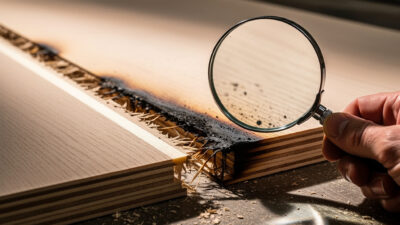
What lasers struggle with: 3D carving or relief work (requires different technology), very thick materials (cost and time escalate rapidly), certain material combinations, extremely detailed halftone photographs without careful preparation, and cutting some plastics that release toxic fumes. Post-processing is often necessary, including cleaning soot from cuts, assembling multi-piece projects, or applying finishes.
Learning curves vary: Basic cutting of simple shapes happens immediately. Optimizing for minimal char, perfect fit tolerances, and efficient production takes months of practice. Mastery of advanced techniques like multi-layer assemblies, living hinges, or inlay work develops over years. The journey from beginner to confident operator is rewarding but requires patience and persistence.
Getting Started: Your Next Steps
Armed with understanding of laser types, capabilities, and realistic expectations, you are ready to take concrete steps into laser technology. Start by honestly assessing your primary interests, available workspace, and budget. The right machine for a jewelry maker differs substantially from what serves a sign-making business or a DIY enthusiast building functional prototypes.
Our detailed decision framework helps you evaluate specific machines based on your use case, walking through power needs, work area requirements, and feature priorities. Do not rush this decision, selecting the wrong laser type or insufficient power for your intended applications leads to expensive frustration.
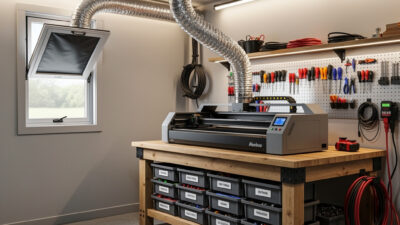
Before your machine arrives, understand the critical safety requirements including proper eye protection, ventilation, and material restrictions. Lasers are powerful tools that demand respect. Preparing your workspace with adequate ventilation and safety equipment ensures your creative journey starts safely.
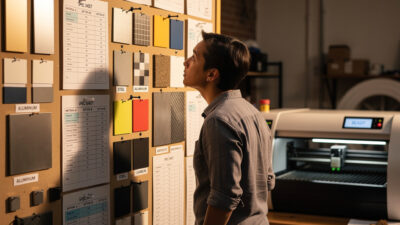
Once you have selected your machine and prepared your space, study the materials you plan to work with. Understanding what cuts cleanly versus what releases toxic fumes or damages your equipment prevents costly mistakes. Start with safe, forgiving materials like acrylic and basswood before experimenting with challenging options.
Finally, master the complete workflow from design to finished piece. Designing effectively for laser cutting, setting proper power and speed, executing test cuts, and finishing your work separates beginners from skilled operators. Each project builds your competence and confidence. When you are ready to try specific builds, the laser engraving project ideas guide covers 30+ beginner-to-advanced projects organized by material and skill level.
Laser cutting and engraving opens creative and commercial possibilities impossible with other tools. Whether you are personalizing gifts, prototyping inventions, producing artwork, or launching a business, the technology rewards those who approach it with knowledge, safety consciousness, and willingness to learn. Welcome to the laser community.
Continue Your Laser Journey
Ready to choose your first machine? Read How to Choose Your First Laser Cutter or Engraver for a decision framework covering power, work area, and budget.