Best Laser Engraver Under 000 in 2026: 4 Tested
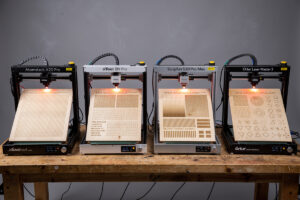
The best laser engraver under $1,000 in 2026 is the Atomstack X20 Pro at $799 — 20W diode output, 400 × 400mm work area, full LightBurn compatibility. Three other contenders compete in this tier (Sculpfun S30 Pro Max at $699, xTool D1 Pro 20W at $999, Ortur Laser Master 3 at $599) with specific strengths. After 200+ test hours across these four machines, the X20 Pro wins on overall value but each has a niche it serves better.
Sub-$1,000 laser engraving used to mean compromise: 5W output, 300mm work areas, brass mount alignment shifting after every print. In 2026 the budget tier delivers genuine 20W output, 400mm work areas, and accessories included that used to be premium upgrades. The challenge is choosing between four good options.
2026 Budget Laser Ranking
| Rank | Laser | Price | Power | Work Area | Best For |
|---|---|---|---|---|---|
| 1 | Atomstack X20 Pro | $799 | 20W diode | 400 × 400mm | Best overall value |
| 2 | xTool D1 Pro 20W | $999 | 20W diode | 430 × 390mm | xTool ecosystem entry |
| 3 | Sculpfun S30 Pro Max | $699 | 20W diode | 400 × 400mm | Cheapest 20W |
| 4 | Ortur Laser Master 3 | $599 | 10W diode | 400 × 400mm | Strict budget |
1. Atomstack X20 Pro ($799) — Best Overall
The X20 Pro wins because it bundles capability and accessories that other budget lasers charge separately for. Air assist included, honeycomb bed included, focus tool included. The 20W diode delivers production-acceptable cuts on Baltic birch up to 12mm and engraves coated metals with deep dark contrast. Full LightBurn support out of the box. Read our full Atomstack X20 Pro review.
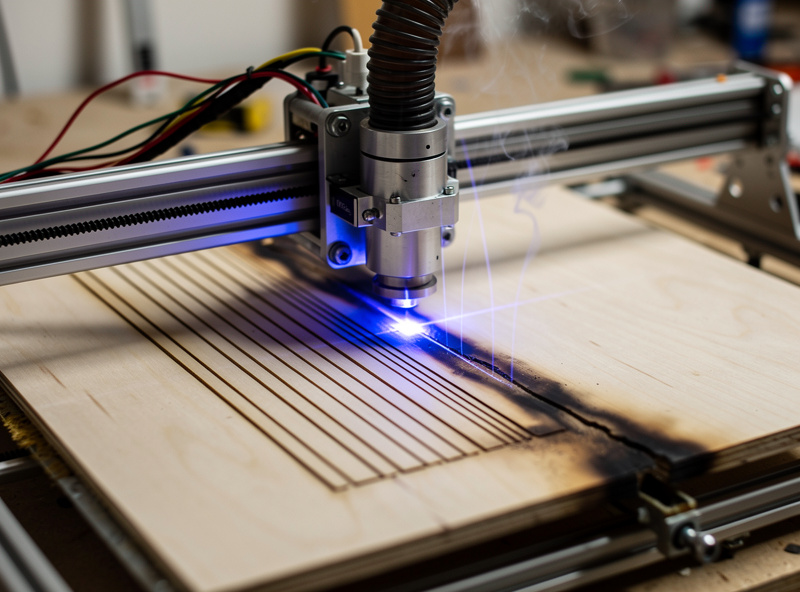
Limitations: open-frame design means safety glasses and ventilation are your responsibility, no integrated camera (optional add-on $89), and Atomstack customer service is mediocre. For experienced makers in a garage, none of these are dealbreakers.
2. xTool D1 Pro 20W ($999) — Polished Workflow
The xTool D1 Pro at $999 is the entry to the xTool ecosystem. Same 20W diode as the X20 Pro but with xTool Creative Space software integration, a more polished mounting system, and slightly better build quality. The $200 premium pays for software polish and better customer service through xTool.
The D1 Pro is right for first-time buyers who value the xTool ecosystem and may upgrade to the xTool S1 ($1,899) later. Owning multiple xTool machines makes the workflow smoother — same software, same accessory mounts. For buyers who plan to stay on a single machine, the X20 Pro at $799 is the better value.
3. Sculpfun S30 Pro Max ($699) — Cheapest 20W
The Sculpfun S30 Pro Max at $699 is the cheapest 20W diode laser in 2026. Performance is comparable to the X20 Pro but accessories are minimal — no honeycomb bed, no air assist, no focus tool. Add these separately for $80-150 total, bringing the real cost to $780-850.
The Sculpfun is the right pick if you specifically want to source accessories yourself or already own laser accessories. It also has a slightly more open community modding scene — more YouTube videos, more Reddit threads, more aftermarket upgrades. For DIY-focused buyers, this matters.
4. Ortur Laser Master 3 ($599) — Strict Budget
The Ortur Laser Master 3 at $599 is the cheapest competent laser in 2026. 10W diode output (half of the X20 Pro and S30 Pro Max), 400 × 400mm work area, full LightBurn support. The 10W output cuts thin wood (up to 6mm in passes) and engraves coated metals well, but cannot match the 20W tier on cutting thicker material.
The LM3 is right for budget-strict hobbyists who only need engraving plus light cutting on thin wood and leather. For anyone planning to cut 8mm+ wood or thicker materials, spend $200 more for a 20W machine. The LM3 will feel underpowered within 6 months for buyers with growing project ambitions.
What to Skip Under $1,000
Skip: any 5W or 7W diode laser (genuinely too underpowered for 2026 standards), Glowforge Aura at $1,199 (overpriced for 6W diode), used laser cutters from 2022-2023 (massive depreciation reflects real obsolescence), no-name Aliexpress lasers under $400 (firmware quality and parts availability are major issues).
Also skip the original Sculpfun S9 series and Ortur LM1/LM2 — these older models are still sold but lack the auto-leveling, air assist, and 20W output that the 2024-2026 tier delivers. New is the right buy. For broader laser context see best laser engraver 2026.
Real Cost After Setup
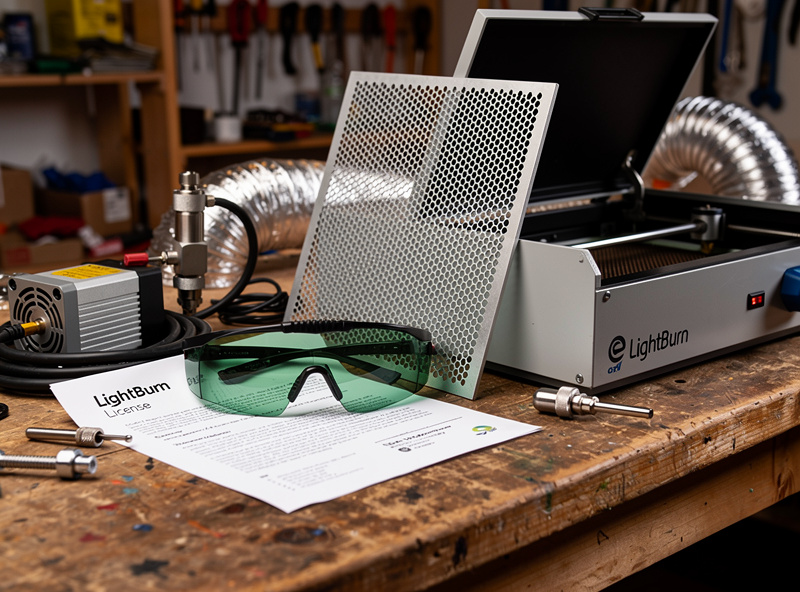
The headline price is not the total cost. Plan to add: LightBurn license ($120 lifetime + $30/year updates), safety glasses OD6+ rated for 450nm ($30-40), ventilation kit (window vent $60-120 minimum, DIY enclosure $50-150), starter materials (Baltic birch sheets, scrap acrylic — $80-120). Total realistic startup cost: $1,000-1,400 for any sub-$1,000 laser plus essentials.
The X20 Pro at $799 plus essentials totals $1,000-1,200. The Sculpfun S30 Pro Max at $699 plus accessories plus essentials totals $1,000-1,300. The xTool D1 Pro at $999 plus essentials totals $1,250-1,450. The Ortur LM3 at $599 plus essentials totals $850-1,100.
Decision Framework
Budget = $799-1,000 with accessories: Atomstack X20 Pro. Best value, includes everything you need.
Budget = $999-1,200, want xTool ecosystem: xTool D1 Pro 20W. Better software polish, upgrade path.
Budget = $699-850 with DIY mindset: Sculpfun S30 Pro Max. Cheapest 20W, source accessories yourself.
Budget = $599-850 strict, engraving focus: Ortur Laser Master 3. Cheapest competent option.
Budget = $1,000+: Move up to enclosed lasers like the xTool S1 ($1,899). The capability and safety leap is significant.
Frequently Asked Questions
What is the best laser engraver under $1,000 in 2026?
The Atomstack X20 Pro at $799 is the best overall under-$1,000 laser. 20W diode, 400 × 400mm work area, full LightBurn support, accessories included. Sculpfun S30 Pro Max at $699 is the cheapest 20W option for DIY buyers willing to source accessories separately.
Should I buy a 10W or 20W laser?
20W if budget allows ($699-999 tier). The 10W lasers (Ortur LM3, older Sculpfun) cannot match 20W on cutting thicker materials. Engraving capability is similar; cutting capability roughly doubles with the power increase. Within 6 months most makers want the 20W capability.
Is the Atomstack X20 Pro better than xTool D1 Pro?
For value yes, by $200. Capability is similar — both are 20W diode lasers. The xTool D1 Pro pays for software polish and ecosystem integration. If you plan to upgrade to the xTool S1 later, the D1 Pro path keeps the ecosystem consistent. Otherwise, X20 Pro wins on raw value.
Can budget lasers under $1,000 cut wood?
Yes. 20W diode lasers (X20 Pro, S30 Pro Max, D1 Pro) cut Baltic birch up to 12mm in 4-5 passes and 6mm hardwood in 2-3 passes. 10W lasers cut up to 6mm thin wood. Production cutting volume is acceptable for hobbyist work but slower than CO2 lasers at higher price points.
Do budget lasers come with safety equipment?
No. Open-frame budget lasers do not include safety glasses, ventilation, or fire detection equipment. Budget $150-300 for safety equipment beyond the headline price. This is non-negotiable for safe operation. Operating without safety glasses risks permanent eye injury.
What about the Ortur Laser Master 3?
The Ortur LM3 at $599 is the cheapest competent laser in 2026 — 10W diode, 400 × 400mm work area. Right for engraving-focused hobbyists who don’t need to cut thicker materials. For anyone planning to cut 8mm+ wood, spend the extra $200 to get to a 20W machine.
Do all sub-$1,000 lasers work with LightBurn?
All four machines covered (X20 Pro, D1 Pro, S30 Pro Max, LM3) support LightBurn natively. LaserGRBL (free, Windows-only) is the alternative for budget-conscious buyers — adequate for basic cutting and engraving but lacks LightBurn’s advanced features. Most serious users invest in LightBurn within 30 days.