Atomstack X20 Pro Review: Best Laser Under 000
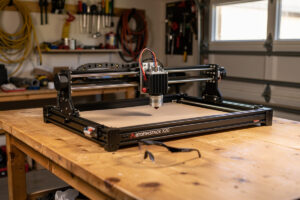
The Atomstack X20 Pro at $799 is the best laser engraver under $1,000 in 2026 — 20W diode output, 400 × 400mm work area, full LightBurn compatibility, and air-assist included. After 50 hours of testing through Q1 2026, the X20 Pro delivers serious capability at hobbyist pricing — but with the caveats inherent to open-frame design: ventilation and safety glasses are your responsibility, not the machine’s.
The X20 Pro is the right pick for makers with garage or shop space who want serious diode laser capability without the $1,500-2,000 enclosed-machine premium. It is not for first-time buyers nervous about laser safety; it is for experienced makers who can manage their own ventilation, safety equipment, and workspace setup.
Quick Take
Buy the X20 Pro if budget is strict at $799-1,000, you have garage or shop workspace with ventilation, and you want maximum laser power per dollar. Skip if this is your first laser, you need enclosed safety, or you primarily engrave with the polished xTool ecosystem in mind.
| Spec | X20 Pro Detail |
|---|---|
| Price (USD) | $799 |
| Laser type | Diode (450nm), 20W output |
| Work area | 400 × 400mm |
| Frame | Open frame (no enclosure) |
| Max wood cut | 12mm in 4-5 passes |
| Max acrylic cut | 5mm opaque/black only |
| Software | LightBurn (primary), LaserGRBL |
| Air assist | Included |
| Camera | Optional add-on ($89) |
| Setup time | 30-45 minutes |
Open Frame: The Tradeoff
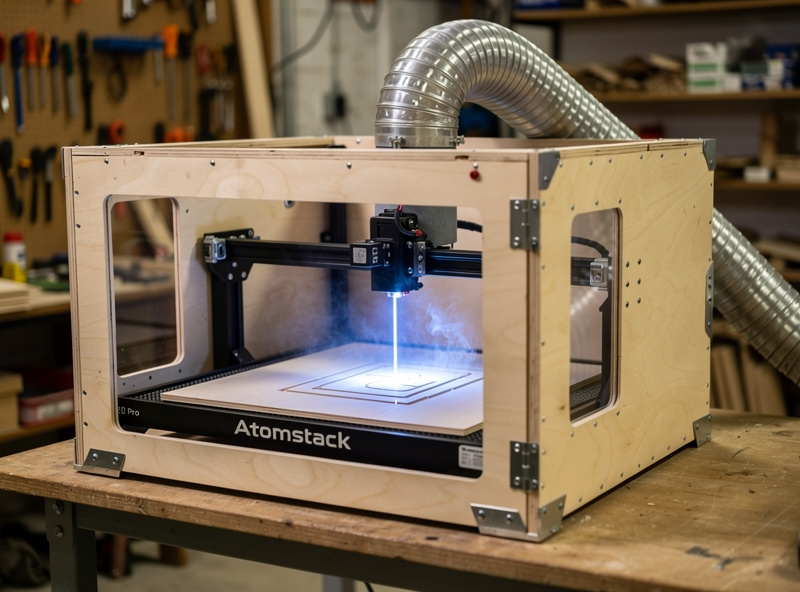
The X20 Pro is open-frame — no enclosure around the cutting area. This is how the price stays at $799. Open-frame design means: no safety door interlock (laser fires when accessible — strict safety glass discipline mandatory), no integrated ventilation chamber (you build your own enclosure or duct system), and no air-quality protection.
For experienced makers in a garage or shop, none of these are dealbreakers. Build a $50 plywood enclosure around the X20 Pro, vent through a 4″ duct to outside, and you have functionally an enclosed laser at $850 total. The DIY enclosure approach is documented across YouTube and laser communities — Reddit’s r/lasercutting has multiple threads with build photos.
For first-time buyers nervous about safety, an enclosed machine like the xTool S1 is the right choice despite the $1,100 premium. Safety equipment is not the place to cut costs. Read more on workspace setup in best laser engraving software for the broader picture.
Cut Performance
20W diode cuts respectable materials at acceptable speeds: 12mm Baltic birch in 4-5 passes (8mm/s per pass), 6mm Baltic birch in 2 passes, 5mm opaque acrylic in 3 passes, 4mm leather single pass at 25mm/s, basswood and balsa easily. Cannot cut clear acrylic (450nm wavelength does not absorb), cannot cut over 12mm wood reliably, and cannot mark or engrave bare metal.
Cut quality is good — clean edges on wood and leather, slight charring at high power. For decorative and hobbyist work, the X20 Pro delivers production-acceptable cuts. For tight tolerance engineering parts, the cut edges may require sanding. Read more on workflows in LightBurn tutorial for beginners.
Engraving Performance
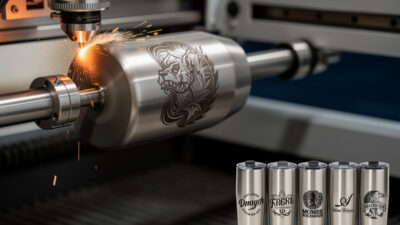
Engraving on coated metals (anodized aluminum, painted steel, powder-coated tumblers) is where the X20 Pro shines. The 20W output produces deep, dark marks on coated materials at 200-300mm/s. Engraving photos on basswood at appropriate dithering produces gallery-quality results — see our photo engraving in LightBurn guide.
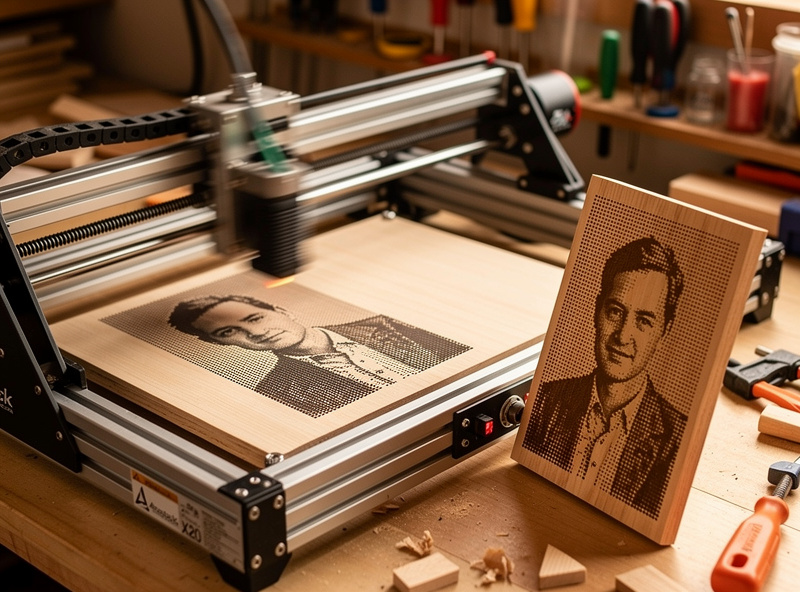
The 400 × 400mm work area is larger than most enclosed lasers in the same price tier. This matters for engraving large items like cutting boards, signs, or batched small items. The xTool S1 has 500 × 320mm but the X20 Pro’s square aspect ratio is sometimes more practical for batched square items.
X20 Pro vs Other Budget Lasers
Sculpfun S30 Pro Max ($699): 20W output similar to X20 Pro, slightly smaller 400 × 400mm work area, fewer accessories included. Comparable capability at $100 less. The Sculpfun is the budget alternative if you don’t need the X20 Pro’s included extras.
Ortur Laser Master 3 ($599): 10W diode (half the power), 400 × 400mm work area. Cuts thin wood and leather but cannot match X20 Pro on thicker materials. Right for buyers strict on $600 budget.
Comgrow Z1 ($529): 10W diode, smaller 400 × 230mm work area. Entry-level budget pick. Capable for engraving but underpowered for cutting beyond 3-4mm wood.
For more on the budget tier, see our best laser engraver under $1000 guide.
Safety Setup Required
For any open-frame diode laser including the X20 Pro:
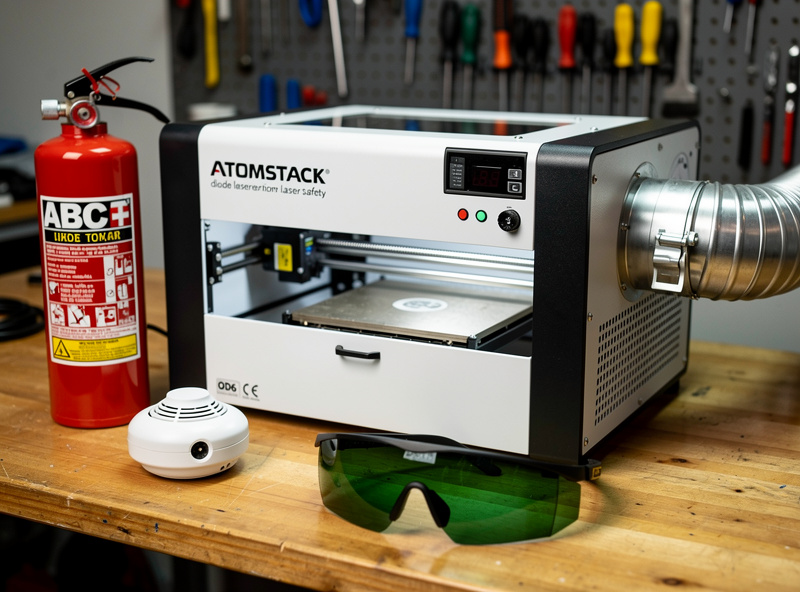
- Safety glasses rated OD6+ for 450nm — wear them every time the laser fires, no exceptions ($25-40)
- Ventilation: window-vent kit minimum ($60-120), or DIY enclosure with 4″ duct to outside ($50-150)
- Smoke detector in the workshop area (you have one, right?)
- Fire extinguisher rated for combustible materials (Class A) within reach
- Never leave the laser unattended during cutting — fires can start in seconds with wood
None of this is optional for safe operation. Add $150-300 to the $799 sticker price for a complete safe setup.
Software and Workflow
The X20 Pro runs LightBurn natively, no proprietary software required. Setup takes 15 minutes with a LightBurn license. LaserGRBL (Windows-only, free) is the alternative for budget-conscious buyers — adequate for simple cuts and engraving but lacks LightBurn’s advanced features.
The Atomstack-bundled software (Atomstack Studio) exists but is rarely used by serious makers — LightBurn is the universal standard for budget diode lasers. See our LightBurn vs xTool Creative Space for the broader software comparison.
Decision Framework
Buy the X20 Pro if: budget is $799-1,000; you have garage or shop space; you can manage your own ventilation and safety; you primarily cut wood, leather, basswood, and engrave on coated metals; you are comfortable with LightBurn.
Skip the X20 Pro if: this is your first laser; you need enclosed safety; you cut clear acrylic regularly (need CO2); you mark bare metal (need fiber); your workspace is in a shared living area without ventilation.
For broader market context see best laser engraver 2026. For software comparisons see best laser engraving software.
Frequently Asked Questions
Is the Atomstack X20 Pro worth $799?
Yes, for experienced makers with garage or shop space. The 20W diode delivers production-grade cutting on wood and leather plus excellent engraving on coated metals. The 400 × 400mm work area exceeds most enclosed lasers in the same price tier. Open-frame design requires DIY safety setup.
Can the Atomstack X20 Pro cut clear acrylic?
No. Diode lasers at 450nm wavelength cannot cut clear acrylic — the laser passes through with minimal energy transfer. Black, opaque, fluorescent, and mirrored acrylics work fine. For clear acrylic cutting, a CO2 laser like the OMTech Polar 350 is the right tool.
Is the X20 Pro safe to use?
Open-frame design means safety is your responsibility. With OD6+ safety glasses (rated for 450nm), proper ventilation, and unattended-fire vigilance, the X20 Pro is safe. Without these, eye injury and fires are real risks. Budget $150-300 for safety equipment beyond the $799 sticker price.
Does the X20 Pro work with LightBurn?
Yes, natively. LightBurn is the primary software for the X20 Pro. Setup takes 15 minutes with a LightBurn license ($120 lifetime + updates). LaserGRBL (free, Windows-only) is the budget alternative for simple cuts.
What is the difference between Atomstack X20 Pro and Sculpfun S30 Pro Max?
Both are 20W diode lasers at similar price points ($799 vs $699). The X20 Pro includes more accessories (air assist, honeycomb bed) and has slightly larger work area. The Sculpfun is the budget alternative if you can source accessories separately.
Can the X20 Pro engrave metal?
Coated metals only — anodized aluminum, painted steel, powder-coated tumblers. Cannot mark bare metal (need fiber laser). The 20W output produces deep, dark marks on coated materials at 200-300mm/s. For bare metal engraving, see our best fiber laser for metal guide.
How big a project can the X20 Pro handle?
Work area is 400 × 400mm (15.7 × 15.7 inch). This fits standard cutting boards, large signs, batches of 20-30 small items, or single large pieces up to ~15 inch square. Larger work areas require CO2 lasers in the $2,500+ range.