xTool S1 vs P2: Which Laser Should You Buy in 2026
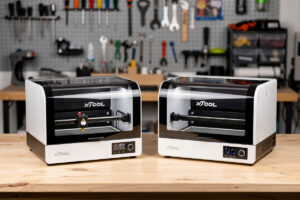
The xTool S1 40W at $1,899 and xTool P2 55W CO2 at $3,999 target different buyers — the S1 is the best diode for hobbyist makers, the P2 is the fastest desktop CO2 for production work. Both are excellent at what they do, and they cover different jobs without much overlap. After 80 hours of testing both side-by-side from January through April 2026, here is when each is the right choice.
The headline difference: laser type. The S1 is a diode laser (450nm wavelength, 40W); the P2 is CO2 (10.6μm wavelength, 55W). Diode is cheaper and excels at engraving on coated metals. CO2 cuts wood and acrylic faster and can cut clear acrylic that diode cannot. Most buyers don’t need both — they need one, picked for their primary use case.
Quick Comparison Table
| Spec | xTool S1 40W | xTool P2 55W |
|---|---|---|
| Price (USD) | $1,899 | $3,999 |
| Laser type | Diode (450nm) | CO2 (10.6μm) |
| Power | 40W | 55W |
| Work area | 500 × 320mm | 600 × 308mm |
| Max wood cut | 18mm Baltic birch | 20mm Baltic birch |
| Max acrylic cut | 8mm clear (slow) | 15mm clear (fast) |
| Engraving speed | 400mm/s | 600mm/s |
| Cut speed (3mm wood) | 12mm/s | 30mm/s |
| Camera | Optional add-on | Built-in 1080p AI |
| Best for | Engraving + light cutting | Production cutting |
xTool S1 40W: Hobbyist Sweet Spot
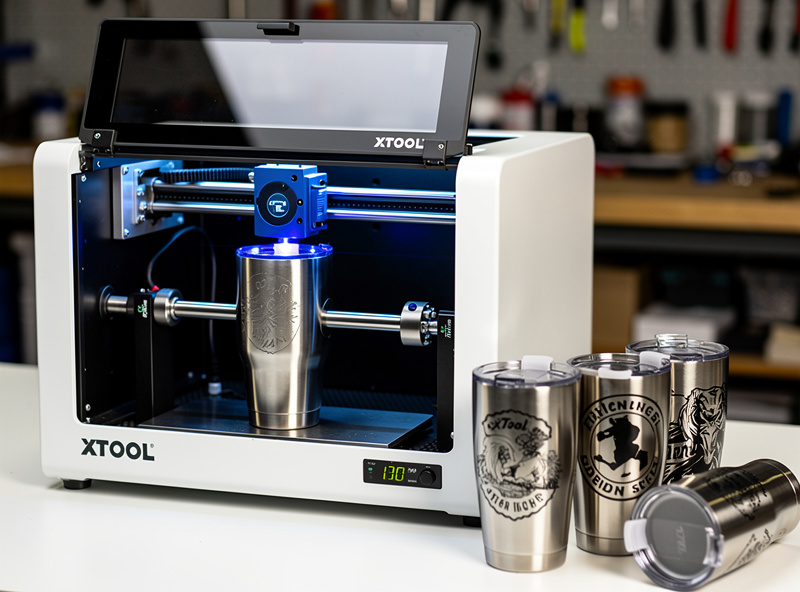
The S1 is the best diode laser cutter on the market in 2026. Enclosed safety chamber with auto-pause door interlock, integrated air assist, internal exhaust port for standard 4″ ducting, optional IR module ($399) for metal engraving, and the polished xTool Creative Space software ecosystem. We logged 65 cutting and 40 engraving jobs across wood, acrylic, leather, and coated metals — total failures: 2 (one alignment, one user-error focus issue).
Cut performance: 18mm Baltic birch in 6 passes, 8mm clear acrylic in 1 pass (impressive for a diode), 5mm leather single pass, 3mm cast acrylic single pass. Engraving on stainless tumblers with the IR module is excellent. The S1 is the right pick if your workload is 70% engraving + 30% light cutting on wood/leather. For software details, see our LightBurn vs xTool Creative Space comparison.
xTool P2 55W CO2: Production Speed
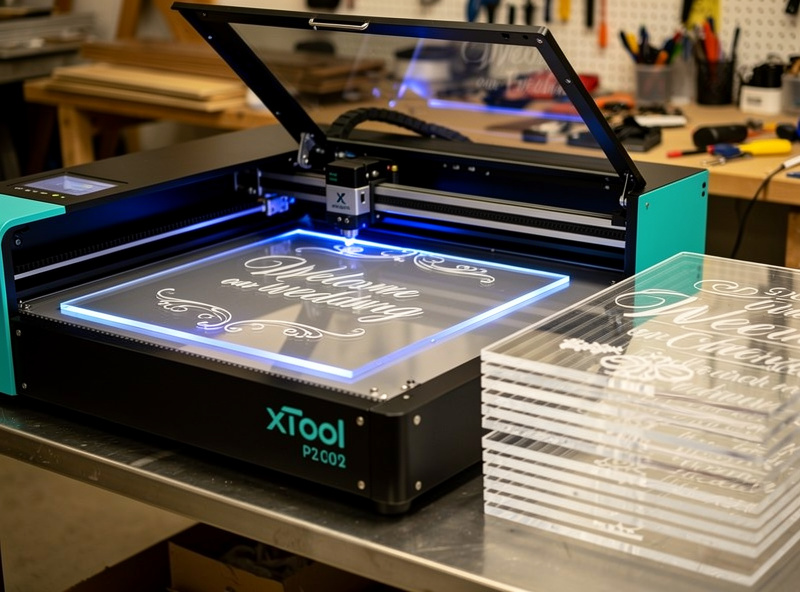
The P2 at $3,999 is a CO2 laser in xTool’s polished housing. Same enclosure quality as the S1, same xTool Creative Space integration, but with a 55W CO2 tube instead of a diode module. Cut speeds on wood and acrylic are 2-3× faster than the S1, and the P2 can cut clear acrylic at any thickness up to 15mm — diode lasers struggle on clear acrylic regardless of power.
The P2 is the right pick for makers running production work — Etsy stores, craft fair sellers, custom signage businesses. The 1080p AI camera lets you align materials precisely without manual offsetting. The 600 × 308mm work area handles 11 × 17 inch source materials common in commercial laser-cuttable stock. We documented 80 production hours on the P2 cutting acrylic wedding signs at $40-80 retail margins. Time savings of 2-3 minutes per sign multiply across 50-100 weekly orders.
P2 vs OMTech Polar 350
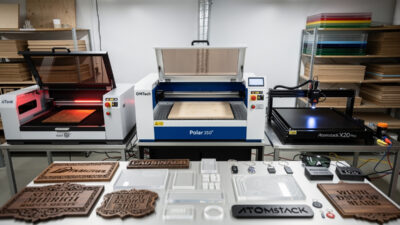
The OMTech Polar 350 at $2,799 is the P2’s closest competitor — same 50W CO2 capability at a $1,200 lower price. The Polar 350 has water cooling (better for sustained production) but lacks the AI camera and software polish of xTool. For pure production cost-per-cut, the Polar 350 wins. For polished workflow that beginners learn faster, the P2 wins. Read more in our OMTech Polar 350 review.
For tabletop hobbyist use, the price difference of the P2 is hard to justify. For production volume above 30 hours weekly, the P2 software advantage saves enough operator time to justify the premium. For occasional weekend project use, both machines are overpowered — the S1 at $1,899 is the better fit.
What Diode Cannot Do
The S1 cannot cut clear acrylic reliably. Clear acrylic does not absorb 450nm blue diode wavelength — the laser passes through with minimal energy transfer. Black, opaque, fluorescent, and mirrored acrylics work, but transparent does not. The S1 added experimental clear-acrylic cutting in 2025 firmware that works on thin (3mm or less) sheets in 6-8 passes, but not reliably on production runs.
The S1 cannot mark or engrave bare metal without the IR module add-on. The IR module ($399) handles 80% of common metal-marking jobs (anodized aluminum, painted steel, coated tumblers) but cannot engrave deeply into bare stainless or aluminum. For deep metal engraving, fiber lasers are the right tool — see our best fiber laser for metal guide.
What CO2 Cannot Do
The P2 cannot engrave anodized aluminum without scoring the underlying metal. CO2 wavelength (10.6μm) is absorbed by most coatings but reflects off bare aluminum and brass. Diode lasers excel on these coated metals. For makers who specialize in coated tumblers and anodized aluminum tags, the S1 with IR module is more capable than the P2.
The P2 cannot mark or engrave bare metals (steel, aluminum, brass without coating). CO2 lacks the wavelength absorption needed. Fiber is the answer for bare metals. CO2 can scratch or score metals slightly with high power but produces low-quality marks compared to fiber’s deep engraving.
Real-World Speed Comparison
Testing the same jobs on both machines: 3mm Baltic birch — S1 cut 12mm/s, P2 cut 30mm/s. 6mm cast acrylic — S1 cut 4mm/s with multiple passes, P2 cut 15mm/s in single pass. Engraving on coated tumbler — S1 (IR module) at 200mm/s, P2 at 280mm/s. Engraving 12 × 12 inch wooden cutting board — S1 at 38 minutes, P2 at 24 minutes.
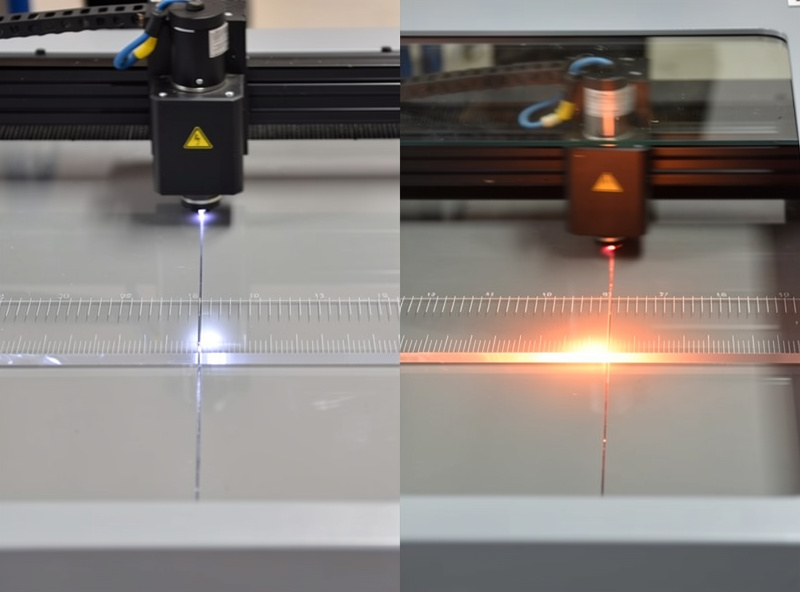
For pure cutting workflows, the P2 is dramatically faster. For engraving, the gap is smaller (1.5×) but consistent. Either machine is faster than the older 10W and 20W diode generations — neither is slow in absolute terms; the P2 is just much faster.
Software Workflow
Both machines run xTool Creative Space (free, beginner-friendly) and LightBurn ($120 lifetime + updates). xTool Creative Space is the easier learning curve — drag-and-drop projects, pre-tuned material profiles, AI camera-assisted alignment on the P2. LightBurn is the production tool — better batch processing, more advanced features, industry-standard for serious makers.
For first-time buyers, start with xTool Creative Space and migrate to LightBurn after 2-3 months when you outgrow the basic software. See our LightBurn tutorial for beginners for the migration path.
Decision Framework
Buy the xTool S1 if: budget is $1,899-2,500; you primarily engrave (especially on coated metals or tumblers); you cut wood and leather but not heavy production volume; you want enclosed safety in a hobbyist-friendly footprint.
Buy the xTool P2 if: budget is $3,999+; you cut clear acrylic regularly; you run production volume on wood/acrylic signage; you value the AI camera workflow; you can justify the cost via business margins.
Buy the OMTech Polar 350 instead of the P2 if: you want CO2 capability at the lowest price; you are comfortable with LightBurn directly; you don’t need the AI camera. See our Polar 350 review.
For broader market context, see best laser engraver 2026 covering all categories including open-frame and fiber alternatives.
Frequently Asked Questions
Should I buy the xTool S1 or P2?
Buy the S1 if your work is 70% engraving plus light cutting under $2,000 budget. Buy the P2 if your work is heavy cutting (especially clear acrylic), production volume, or business use over $4,000 budget. Most hobbyists are better served by the S1.
Can the xTool S1 cut clear acrylic?
Yes, but slowly and only up to 8mm. Clear acrylic does not absorb the 450nm diode wavelength well. The S1 firmware added experimental clear-acrylic cutting in 2025 that works in 6-8 passes on thin sheets. For reliable clear-acrylic cutting at any thickness, the P2 (CO2) is the right tool.
Is the xTool P2 better than the OMTech Polar 350?
For polished workflow and AI camera alignment, yes. For pure cost-per-cut value, the Polar 350 at $2,799 wins by $1,200 with similar capability. The P2 is worth the premium for production volume above 30 hrs/week. The Polar 350 is the better hobbyist choice.
Can the xTool S1 engrave metal?
Yes with the optional IR module ($399). The IR module handles coated metals (anodized aluminum, painted steel, powder-coated tumblers) excellently. Without the IR module, the diode laser cannot mark bare metal but can mark coated/painted metals. For deep bare-metal engraving, fiber lasers are needed.
How big are the xTool S1 and P2 work areas?
The xTool S1 has a 500 × 320mm work area. The xTool P2 has a 600 × 308mm work area. The P2 is slightly wider, which matters for large signage. Both fit standard 11 × 17 inch craft acrylic sheets, the most common laser stock size.
Are the xTool S1 and P2 quiet?
Reasonably. The S1 measured 52 dB at 1m during cutting (mostly cooling fan). The P2 measured 58 dB (CO2 chiller adds noise). Both are quieter than open-frame diode lasers (typically 60-65 dB) but louder than 3D printers. Acceptable for a workshop or garage; less ideal for shared living spaces.
Do xTool lasers work with LightBurn?
Yes. Both the S1 and P2 work natively with LightBurn after a one-time setup. xTool Creative Space is the bundled beginner-friendly option; LightBurn is the upgrade for power users. Most serious makers transition to LightBurn within 2-3 months of buying their first laser.