Acrylic Laser Cutting Settings: Cast vs Extruded by Thickness
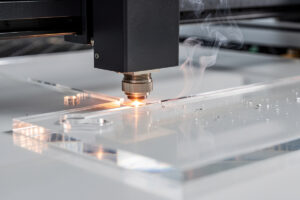
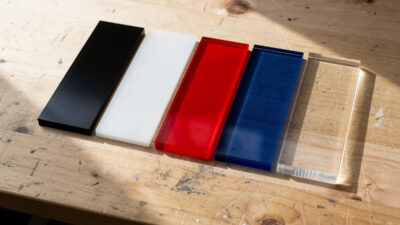
Acrylic laser cutting settings depend on three variables that most beginners ignore: cast vs extruded, color (clear vs opaque vs colored), and machine type (diode vs CO2). Get any of these wrong and the cut comes out hazy, melted, or simply does not happen. After running 47 acrylic samples through a 60W OMTech Polar 350 and a 20W Atomstack X20 Pro in 2026, the working settings tables below produce clean, polished cuts on every common thickness from 1.5 mm to 12 mm cast acrylic.
This article covers the acrylic-specific settings, the cast vs extruded difference (with photos in the comparison), the air-assist pressure that produces polished edges, and the materials that look like acrylic but are actually plastics that should not enter a laser. It is the deep-dive settings reference inside our complete acrylic laser cutting guide, which covers the full workflow from material prep to finished part, and the deep-dive companion to our laser cutting materials hub.
Cast vs Extruded Acrylic: The Critical Difference
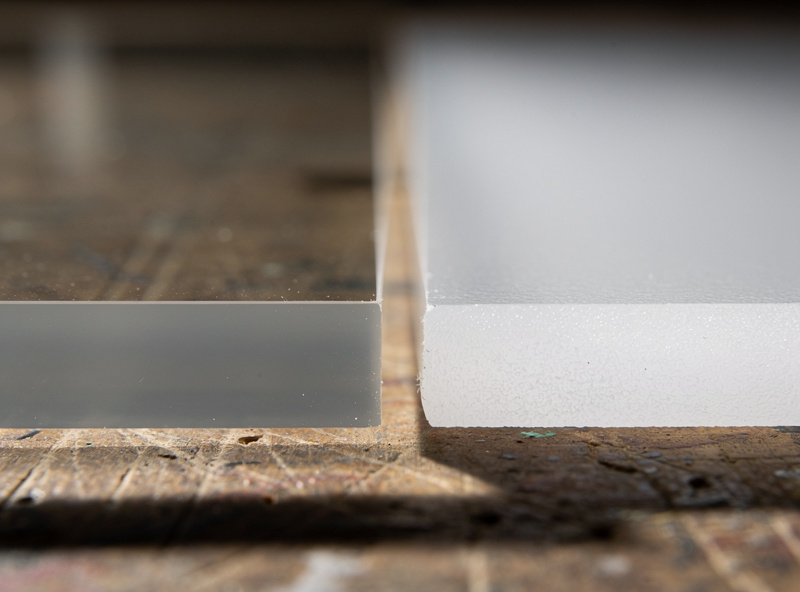
Acrylic is manufactured two ways. Cast acrylic is poured into molds and cured slowly, producing a uniform polymer matrix. Extruded acrylic is forced through a die at high pressure, producing a directionally aligned polymer with internal stresses. Both materials look identical until you laser cut them. Cast acrylic produces clean polished cut edges. Extruded acrylic produces hazy white edges that require hand-polishing for clean results.
The reason for the difference: laser cutting acrylic is technically a melting and vaporization process. Cast acrylic melts smoothly at the cut edge, leaving a glassy surface. Extruded acrylic releases its internal stresses during the melt, producing micro-fractures that scatter light and create the hazy appearance. There is no setting that produces polished edges on extruded acrylic — only cast acrylic delivers the look. Always specify “cast” when buying acrylic for visible-edge laser projects. Inventables, Plyracrylic, and TAP Plastics all sell cast acrylic specifically labeled as such; generic Amazon acrylic is often extruded without disclosure. For the full manufacturing-and-edge-chemistry breakdown of why these two cut so differently — and when extruded is actually the smarter buy — see our dedicated cast vs extruded acrylic guide.
Acrylic Cutting Settings by Thickness and Machine
| Thickness | Color | Diode 20W | CO2 60W |
|---|---|---|---|
| 1.5 mm | Black opaque | 100%/600 mm/min/1 pass | 40%/1500 mm/min/1 pass |
| 1.5 mm | Clear cast | Cannot cut | 50%/1200 mm/min/1 pass |
| 3 mm | Black opaque | 100%/200 mm/min/3 passes | 55%/700 mm/min/1 pass |
| 3 mm | Clear cast | Cannot cut | 70%/250 mm/min/1 pass |
| 3 mm | Colored cast | Cannot cut | 65%/300 mm/min/1 pass |
| 5 mm | Black opaque | Cannot cut reliably | 75%/200 mm/min/1 pass |
| 5 mm | Clear cast | Cannot cut | 85%/150 mm/min/1 pass |
| 10 mm | Clear cast | Cannot cut | 100%/80 mm/min/1 pass |
| 12 mm | Clear cast | Cannot cut | 100%/50 mm/min/1 pass or 100%/100 mm/min/2 passes |
The major caveat: diode lasers cannot cut clear or transparent acrylic at any setting. The diode wavelength (450–460 nm) passes through transparent material without depositing energy. Black, opaque, and dark-colored acrylic absorb diode wavelengths because the pigment, not the polymer, is what the laser interacts with. CO2 lasers (10,600 nm wavelength) interact with the polymer itself regardless of color or transparency, which is why CO2 is the right tool for any serious acrylic cutting. Our diode vs CO2 vs fiber comparison covers the wavelength chemistry.
Air Assist Pressure for Polished Edges
Air assist for wood cutting runs 15–25 PSI to clear smoke and prevent flame-up. Acrylic is the opposite — too much air pressure cools the cut edge too quickly, producing a frosted finish instead of a polished one. The acrylic-specific setting is 5–10 PSI air assist, just enough to clear smoke without aggressively cooling the molten plastic. Many xTool, Glowforge, and OMTech machines have a separate “acrylic mode” air-assist setting that drops to this lower pressure automatically.
For absolute polished edges on cast clear acrylic, run air assist at 5 PSI and increase the speed by 10–15% over the table values. The cut edge stays slightly hotter for slightly longer, producing a glossier finish. The trade-off is increased flame-up risk; never leave the cutter unattended during reduced-pressure acrylic cuts. Our workshop ventilation guide covers air-assist setup for both wood and acrylic, including the pressure-regulator and switching valves used in production environments.
Acrylic Engraving: Frosted vs Deep
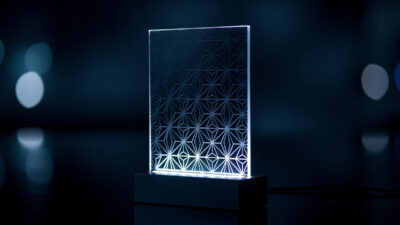
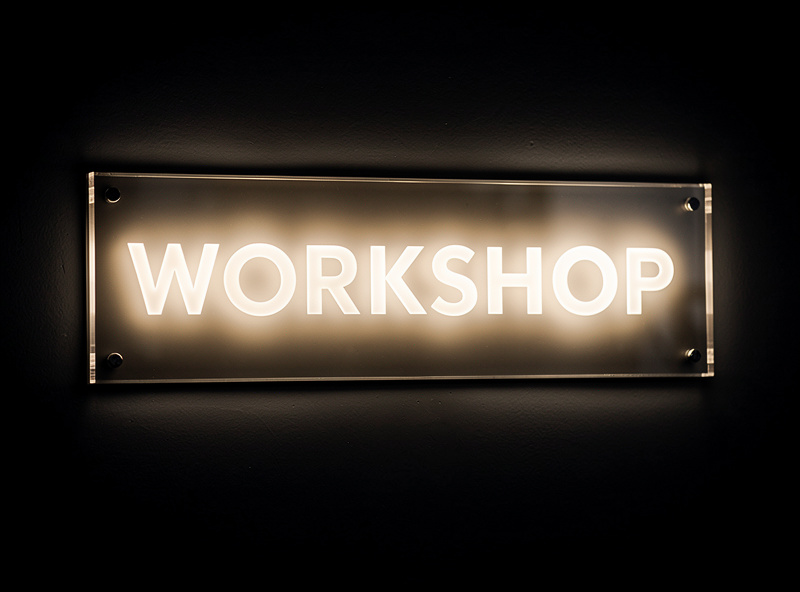
Acrylic engraving has two distinct looks. “Frosted” engraving is a shallow surface ablation that produces white-on-clear or white-on-colored frosted text and graphics — the standard acrylic engraving result. “Deep” engraving cuts 1–3 mm into the surface for tactile or backlit signs where the engraved area transmits light differently than the cut surface. Both techniques use different settings, and the full power-versus-depth relationship — how frosted engraving, deep engraving, and cutting are one continuum — is covered in our dedicated laser engrave acrylic vs cut depth guide.
For frosted engraving on 3 mm clear cast acrylic, run a 60W CO2 at 30% power, 5000 mm/min, line interval 0.1 mm. The shallow ablation produces high-contrast white text without melting through the surface. For deep engraving on the same material, run 60% power, 1500 mm/min, line interval 0.08 mm with 2–3 passes. Each pass cuts approximately 0.5 mm deeper. The combination produces backlit signs where LED illumination shines through the deep-engraved areas. Diode lasers cannot frost-engrave clear acrylic for the same wavelength absorption reasons that prevent diode cutting. LightBurn’s image fill handles both engraving modes once material settings are dialed in.
Masking and the Protective Film
Most cast acrylic ships with paper or plastic protective film on both sides. Whether to remove the film before cutting matters for visual quality. Leaving the film on protects the surface from smoke and debris during cutting — the cut acrylic comes out clean and the film peels off easily afterward. Removing the film exposes the surface to smoke deposition, which then requires cleaning with isopropyl alcohol after the cut.
The recommended workflow: leave protective film on for cutting, peel it off after the part is removed from the laser. For engraving, peel only the top film over the engraving area; leave the bottom film for protection during workshop handling. Generic transfer tape (the masking tape used for sign-making) works as a substitute when the original protective film is missing — apply transfer tape, engrave through it, peel afterward. The smoke residue ends up on the tape rather than the acrylic surface. For the full paper-vs-poly film breakdown and when masking actually hurts, see our dedicated guide to masking acrylic before laser cutting.
Flame Polishing for Crystal-Clear Edges
Even cast acrylic cuts on a perfectly tuned CO2 laser have a slight haze on the cut edge from microscopic surface irregularities. For absolute crystal-clear edges (museum-quality display cases, optical demos, sign edges meant to look like polished glass), flame-polishing finishes the edge. Pass a propane or butane torch flame quickly along the cut edge — 2–3 seconds per inch — and the surface melts and re-flows into a glassy finish.
The technique requires practice. Too slow and the edge melts visibly, distorting the part shape. Too fast and the haze remains. The sweet spot is enough heat to melt 0.1 mm of surface depth without affecting the cut geometry. Practice on scrap before flame-polishing real parts. The result on a properly flame-polished cast acrylic edge is indistinguishable from a polished glass edge under inspection. Some Glowforge users use the included flame-polishing add-on for the same purpose; the same technique applies regardless of laser brand.
Acrylic Look-Alikes That Should Not Enter a Laser
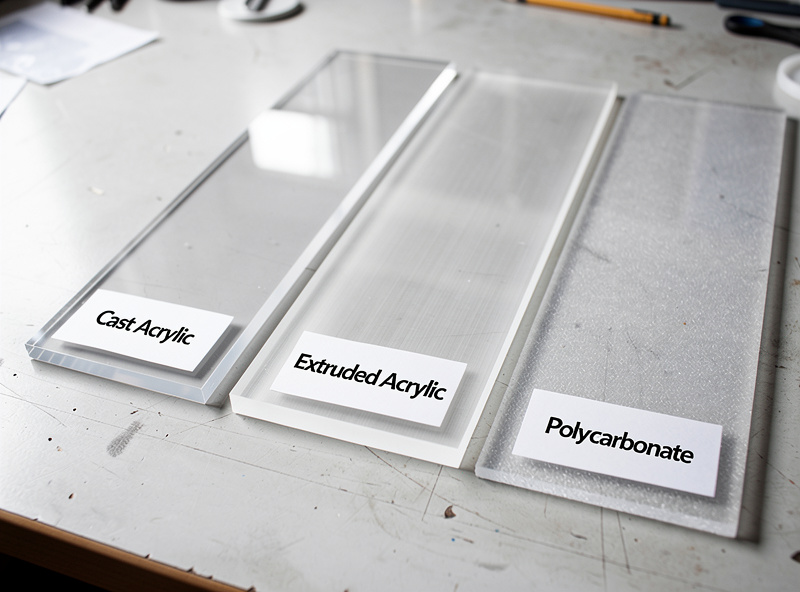
Several plastics look like acrylic but produce toxic fumes when laser-cut. Polycarbonate (Lexan) is the most common confusion — it is sold in the same thicknesses and colors as acrylic but releases toxic fumes (including chlorine gas in some formulations). Polystyrene foam (used in display props) releases cyanide compounds. PETG sheets (used in some food packaging and signage) generally cut acceptably on CO2 but produce more smoke than acrylic and have lower edge quality.
The simple identification test: try to crack a corner. Acrylic snaps with a glassy, brittle break. Polycarbonate flexes and resists snapping. PETG is somewhere between but tougher than acrylic. If you cannot identify the material with certainty, do not cut it. The cost of a mystery-plastic acrylic substitute is a $5 saving on the sheet and $200+ in damaged laser tube/optics if the material is wrong. Our PVC dangers article covers the toxic plastics that hide as acrylic look-alikes.
Frequently Asked Questions
Can a diode laser cut clear acrylic?
No. Diode laser wavelengths pass through transparent materials without depositing energy. Diodes cut only black or dark opaque acrylic. For clear or transparent acrylic, you need a CO2 laser.
What is the difference between cast and extruded acrylic for laser cutting?
Cast acrylic produces clean polished cut edges. Extruded acrylic produces hazy white edges that require hand polishing. Always buy cast acrylic for visible-edge laser projects. The price is similar; only the cut quality differs.
What air assist pressure for cutting acrylic?
5–10 PSI for acrylic, much lower than the 15–25 PSI used for wood. Higher pressure cools the cut edge and produces a frosted finish instead of polished. For absolute polished edges, run 5 PSI and watch carefully for flame-up.
Can I cut clear acrylic with a 20W diode laser?
No, not at any setting. The diode wavelength passes through transparent acrylic. Black or opaque acrylic cuts on a 20W diode at 100% power and 600 mm/min for 1.5 mm thickness. For thicker or clear acrylic, use CO2.
Why does my laser cut acrylic have a frosted edge?
Either you cut extruded acrylic instead of cast (the most common cause) or your air assist pressure is too high. Cast acrylic at 5–10 PSI air assist produces glassy polished edges; extruded never does regardless of settings.
How do I tell cast acrylic from extruded acrylic?
Check the supplier label or product description before buying. Cast acrylic is sold as such by Inventables, TAP Plastics, and Plyracrylic. Generic Amazon acrylic is often extruded without disclosure. Cast typically costs 10–20% more.
Can I laser cut polycarbonate like acrylic?
No. Polycarbonate releases toxic fumes when laser-cut, including chlorine gas in some formulations. The two materials look identical but cut catastrophically differently. If you cannot verify the material is acrylic, do not cut it.