Colored Acrylic Laser Cutting Results: What Each Colour Does
Colour is the variable everyone treats as cosmetic and almost nobody treats as technical, and that costs people clean results. The pigment in a sheet of acrylic doesn’t just change how it looks — it changes whether a diode can cut it at all, how bright a frost engrave reads, and how a transparent sheet glows when you edge-light it. After running my test cards across clear, black, white, and a stack of coloured and fluorescent acrylics on the OMTech Polar 350 and my diodes, I’ve stopped thinking of colour as decoration and started treating it as part of the settings decision. This is what actually changes when you swap sheet colour.
Three rules cover most of it: dark opaque acrylic absorbs diode light and cuts where clear won’t; engraving contrast flips with sheet colour (frost reads brilliant on dark, nearly invisible on white); and fluorescent edge-glow acrylic is its own special case. Below I’ll go colour by colour through what each does on the bench — one fork of the broader laser cutting acrylic guide.
Why Colour Changes the Cut at All
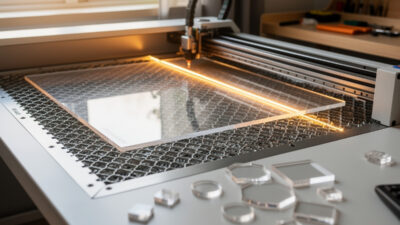
The laser interacts with whatever absorbs its wavelength. On a CO2 machine at 10,600 nm, the beam couples with the PMMA polymer itself, so colour barely changes whether it cuts — CO2 cuts clear, black, and every colour in between because it’s heating the plastic, not the pigment. On a diode at around 450 nm, it’s the opposite: the beam ignores transparent polymer and only deposits energy where pigment absorbs blue light. That’s why a diode cuts black acrylic and passes straight through clear.
So colour matters most on a diode and least on a CO2. But even on CO2, pigment affects engraving contrast, how cleanly the frost reads, and the look of an edge-lit glow. Understanding which effect you’re dealing with — cutting ability versus engraving appearance — is what lets you predict the result before you commit a sheet.
Black and Dark Opaque: The Diode’s Friend
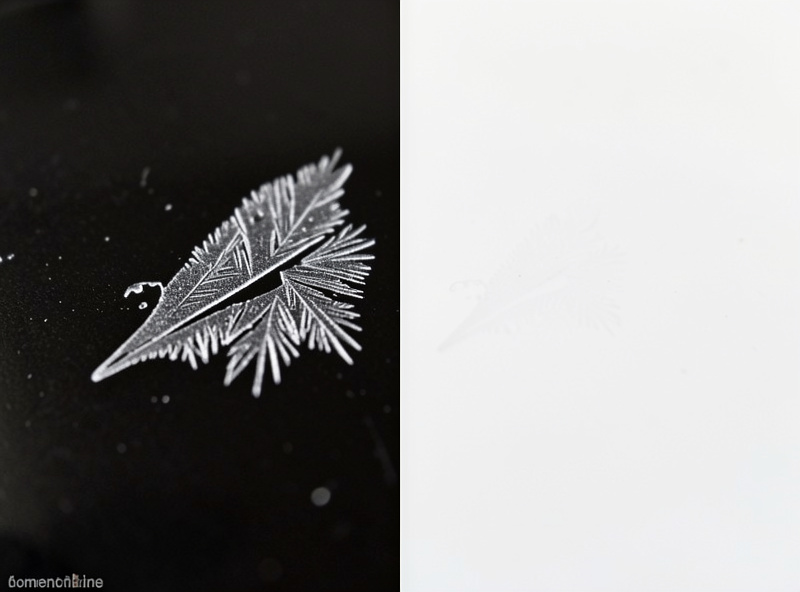
Black opaque acrylic is the one colour a diode laser handles well, because the pigment absorbs the blue beam and converts it to the heat that cuts. On my diodes, thin black acrylic cuts cleanly where clear is impossible. The catch for engraving is contrast: a frost engrave on black acrylic reads as a crisp, bright white-grey mark — the highest-contrast engrave you can get on any colour — which is exactly why so many signs and plaques use black sheet with white-frost lettering.
Dark colours generally (deep blue, dark green, brown) behave similarly to black on a diode: enough pigment to absorb the beam and cut, and good frost contrast. The deeper and more saturated the colour, the more diode-friendly it is. If you own only a diode and want to cut acrylic, dark opaque stock is your material — clear and pale colours simply won’t cut for you.
White and Pale Colours: The Contrast Problem
White and pale acrylic flip the engraving problem on its head. They cut fine on CO2 and, if opaque enough, can cut on a diode, but a frost engrave nearly vanishes on a white sheet because frost is itself whitish — white-on-white has no contrast. For engraved graphics on white or pale acrylic, the trick is paint-filling the engrave or deep-engraving for a shadow line rather than relying on the frost colour. This is the inverse of black, where the frost does all the contrast work for you.
Pale translucent colours have a second quirk: they scatter light internally, so an edge-lit pale sheet glows softly and evenly but never as crisply as clear. That’s sometimes the look you want for a diffuse sign and sometimes not. As always, the move is a quick test on the actual sheet before committing a real part — pale colours vary a lot between brands in how opaque they really are.
| Colour | Diode cut? | Frost engrave contrast | Edge-lit glow |
|---|---|---|---|
| Clear | No | Bright frost on clear | Crisp, best clarity |
| Black / dark | Yes | Highest (white on dark) | None (opaque) |
| White / pale | If opaque | Low (frost on white) | Soft, diffuse |
| Saturated colour | If dark enough | Good on dark tones | Coloured, dimmer |
| Fluorescent edge-glow | No (usually clear-based) | Bright frost | Glowing coloured edge |
Fluorescent and Edge-Glow Acrylic: The Special Case
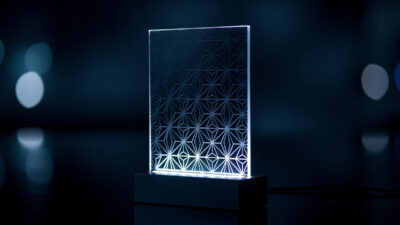
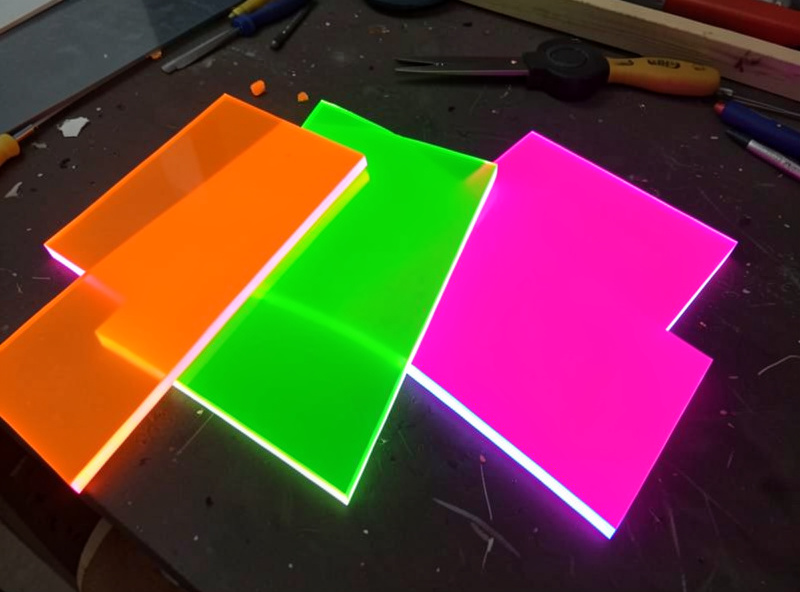
Fluorescent acrylic — the stuff with the glowing coloured edge even in daylight — is a category of its own and a favourite for edge-lit work. It’s usually a clear or tinted base loaded with fluorescent dye that absorbs ambient light and re-emits it along the edges, so the cut edge appears to glow without any LED at all. Cut on CO2 (it’s clear-based, so diodes can’t touch it), it gives signs and panels a built-in edge glow that intensifies when you actually edge-light them.
The engraving on fluorescent acrylic frosts bright and the cut edges light up, which makes it spectacular for signage — but the dye means the apparent colour shifts with lighting, and the glow concentrates at edges and engraved lines exactly where the material is disrupted. It’s the most “wow” acrylic to work with and rewards a clean CO2 cut on cast fluorescent stock. Pair it with the edge-lit technique for the best of both effects.
Mirrored, Frosted, and Textured Sheets
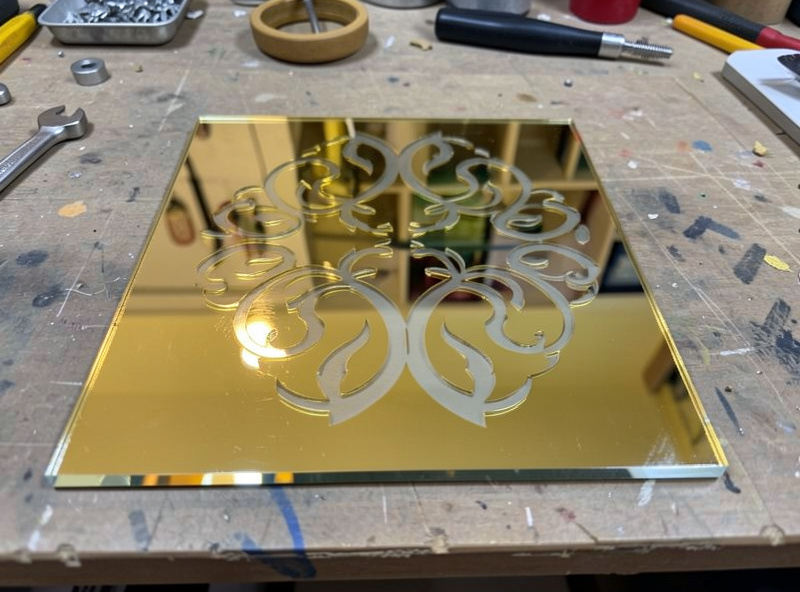
Beyond solid colours, acrylic comes in mirrored, pre-frosted, and textured finishes, and each behaves a little differently. Mirrored acrylic cuts fine on CO2 but the mirror coating is on one face — engrave through the mirror side and you reveal the clear or coloured base beneath as your graphic, which is a striking effect for signage. Pre-frosted (“matte” or “satin”) acrylic already has a diffused surface, so additional engraving contrast is lower; it’s better for backlit panels than for frost-engraved graphics. Textured sheets cut normally but can hide fine engraving in the texture. One trick worth knowing on mirrored stock: keep the mirror face down on the bed so you engrave through the clear back into the coating, which protects the polished mirror surface from smoke and gives a cleaner reveal — the reverse-engrave look that high-end mirror signs use.
The through-line across all of these is the same as plain colour: identify what you’ve got, predict whether the laser couples with it (CO2 yes, diode only on opaque-pigmented stock), and run a quick sample before the real job. Specialty sheets are where guessing wastes the most money, because they cost more than plain clear.
Stocking Colours Worth Keeping
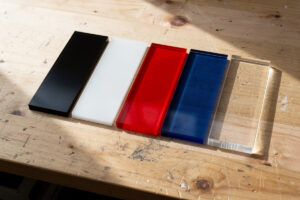
I keep a small palette on the bench rather than buying per-project, because colour testing is cheaper when you’ve got offcuts to try. My standing stock is clear cast (for cuts and edge-lit work), black opaque (the diode workhorse and the best frost-contrast sheet), white opaque (for paint-filled engraves), and one or two saturated colours plus a piece of fluorescent for accent jobs. Those five cover almost everything I’m asked for, and keeping labelled offcuts of each means a new colour question gets answered in the two minutes it takes to run a frost square and a cut line rather than by ordering a full sheet on a guess. A variety pack of colored cast acrylic sheets covers black, white, and a few saturated colours for testing contrast, and for engraved graphics on pale or clear sheet a set of acrylic paint markers fills the engrave to add the contrast the frost alone can’t provide on light colours. Both turn the colour problem from a guess into a controlled choice.
As an Amazon Associate I earn from qualifying purchases. These are materials I keep on my own bench for coloured acrylic work; the links never change the method I recommend.
Frequently Asked Questions
Does acrylic colour affect laser cutting?
On a diode laser, hugely: it only cuts dark opaque acrylic because the pigment absorbs the blue beam, and passes through clear and pale sheet. On a CO2 laser, colour barely affects cutting because the beam heats the polymer itself, so CO2 cuts clear, black, and every colour cleanly.
What colour acrylic gives the best engraving contrast?
Black or dark opaque acrylic. A frost engrave reads as a crisp bright white-grey mark on a dark sheet, the highest contrast of any colour. White and pale sheets give the lowest contrast because the whitish frost nearly vanishes, so those usually need paint-filling.
Can a diode laser cut coloured acrylic?
Only if the colour is dark and opaque enough to absorb the blue beam, like black, deep blue, or dark green. Clear, white, pale, and most fluorescent acrylics pass the diode light through and will not cut. For those colours you need a CO2 laser.
How do I engrave on white acrylic so it shows?
Because a white frost has little contrast on white acrylic, fill the engrave with an acrylic paint marker or a contrasting paint, or deep-engrave for a shadow line. Relying on the frost colour alone leaves the graphic nearly invisible on white or pale sheet.
What is fluorescent edge-glow acrylic?
It is a clear or tinted acrylic loaded with fluorescent dye that absorbs ambient light and re-emits it along the cut edges, so the edges appear to glow even without an LED. It is clear-based so it needs a CO2 laser, and it is a favourite for edge-lit signs.