Laser Engraving Granite: Settings for a Clean Frosted Mark
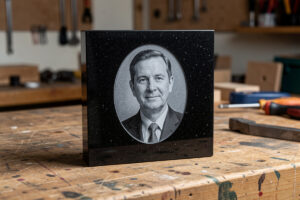
Granite is the stone that makes a laser engrave look serious. Dense, dark, and naturally polished, it frosts to a crisp light-grey mark that reads as permanent and premium — which is exactly why granite is the go-to for memorials, premium house signs, and award plaques. The good news for anyone with a hobby laser is that granite engraves cleanly on a diode, no fiber laser required, because the dark mineral surface couples the beam well and frosts to a high-contrast grey. The settings are not complicated, but granite is unforgiving about focus and surface prep, so dialling it in is mostly about discipline rather than power.
This build covers what granite actually does under the beam, the diode and CO2 settings that frost it cleanly, why too much power makes the mark worse rather than better, and how to seal a granite engrave so it survives outdoors. If you have read the stone engraving guide, this is the deep dive on the densest, most premium-looking material in the family.
What Granite Does Under the Laser
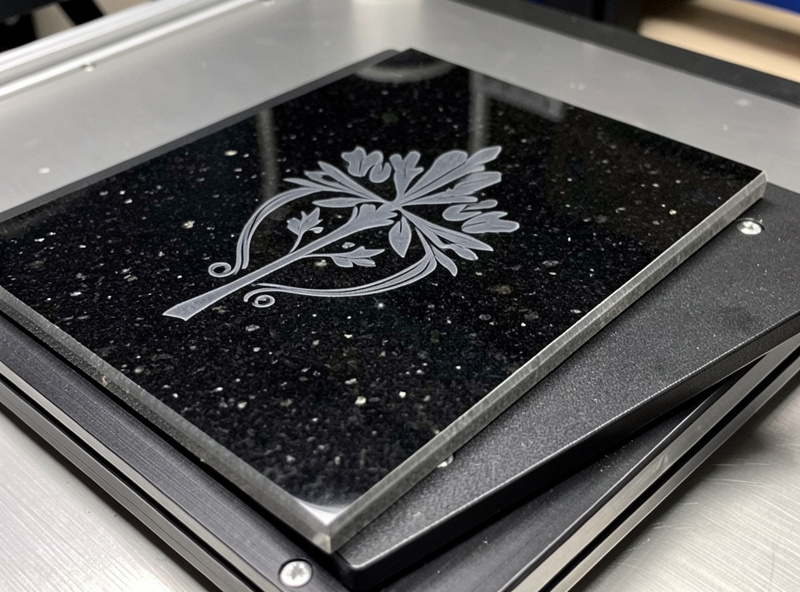
Granite is a dense igneous stone packed with mineral crystals, and when the laser heats the polished surface it micro-fractures and lightens those minerals, leaving a frosted pale-grey mark against the dark polish. You are not cutting depth — this is pure surface contrast, the same physics as slate but on a harder, denser stone that holds the mark crisply. The polish is your friend here: the darker and more polished the granite, the higher the contrast of the frosted engrave, which is why black and dark-grey granite gives the cleanest, most striking results.
Because granite is dense and the mark is shallow, focus is everything. A surface even slightly out of focus smears the frost and softens the edges, and on a memorial or a sign that detail is the whole point. You focus precisely, you keep the slab dead level under the head, and on a large piece you confirm focus across the field rather than trusting a single point. Granite does not warp or move like wood, so once it is level it stays level — but the flip side is that any focus error is fully on you, not the material.
One thing that catches people coming from wood: granite tiles are not always perfectly flat. Cheap tiles can have a slight bow or an uneven back, and a stick-on felt pad on a corner can tilt the whole face just enough to drift focus across a large engrave. I check the slab with a straightedge and shim it dead flat before I bother focusing, because a level that looks fine to the eye can still cost you sharpness on the far side of a big portrait. Spend the extra minute getting the surface true and the engrave rewards you with edge-to-edge crispness.
Diode and CO2 Settings for Granite
On my 40W-class diode, granite frosts cleanly at a moderate power and a moderate raster speed with air assist running — enough to lighten the surface minerals without overcooking them. The counterintuitive part is that more power is usually wrong: push the power too high and the frost actually darkens and muddies as you over-cook the surface, reducing contrast instead of increasing it. The sweet spot is the power that gives the whitest, cleanest frost, and that is generally lower than beginners expect.
My OMTech Polar 350 does the same job faster and is my pick for larger slabs or a batch, where the CO2’s speed across a big area saves real time. Neither machine needs a fiber laser; granite is diode-and-CO2 work, as the diode vs CO2 vs fiber breakdown covers. As always, the exact numbers depend on your machine and the specific granite, so you run a materials test card on the corner or an offcut first — granite varies in mineral content and colour lot to lot, and the setting that frosts one black slab white will look grey on the next. Cut a small power-and-speed grid, pick the whitest cell, and only then run the real piece. I keep my granite test cards labelled by stone colour, because a setting validated on black granite is a useful starting point but not a guarantee on a dark-grey or speckled slab — the mineral mix shifts the result enough that a quick confirmation grid is always worth the offcut.
Designing for Granite
Granite rewards bold, clean designs with good contrast. Heavier font weights, simple line art, and well-prepared grayscale photos all read beautifully on the frosted grey; hairline serifs and tiny detail get lost. Because granite holds a crisp edge, it is the best stone in the family for fine lettering compared to rougher slate — but “fine” still means a readable weight, not a hairline. For memorial and sign work, I keep stroke weights generous so the engrave survives weathering and reads from a distance.
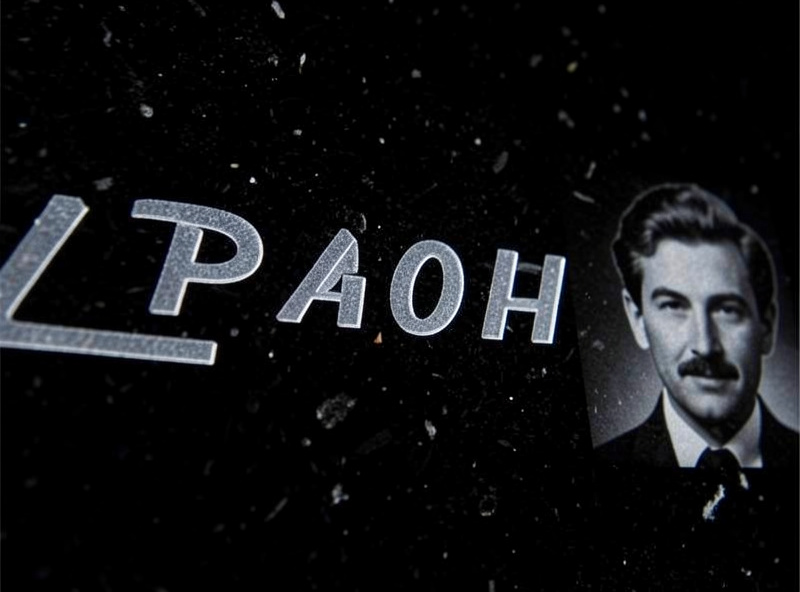
Remember the polarity flip: on dark granite the engrave is the light element, so you design as if drawing with light, not ink. A design imported straight from wood work, where the engrave is the dark mark, will come out inverted and ghostly. I keep my granite designs pre-inverted in their own library exactly so I am not flipping polarity by hand on an expensive slab. Photo engraves work well on granite too, with the same grayscale prep as glass frosting — both are contrast media where the frost carries the image.
Sealing Granite for Outdoor Use
Most granite engraves live outdoors — memorials, garden markers, house signs — so sealing matters. The frosted mark is a shallow surface change, and on an unsealed outdoor piece it can collect grime and weather unevenly over the years. A penetrating stone sealer applied over the finished engrave protects the mark while keeping the natural matte frost, and it deepens the contrast slightly as a bonus. Avoid a heavy gloss coat directly over the frost, because gloss fills the micro-texture that creates the contrast and can wash out the mark to grey.
For a memorial or a sign that needs maximum legibility, some makers add a colour fill to the frosted lettering — a weather-resistant paint rubbed into the engraved area and wiped back, sealing as it colours. This is optional on granite because the natural frost contrast is already strong, but it is worth knowing for a piece that needs to read from across a garden. Whatever you do, test the sealer on a scrap engrave first; the sealer changes the look as much as the laser pass does, and you want to know that before it goes on the real slab.
Safety on Granite
Granite is inert and will not outgas chlorine like PVC, but it throws fine mineral dust and a sharp smell as the surface minerals are altered, and you do not want to breathe either. Air assist stays on, the ducted exhaust runs the whole job, and the enclosure stays closed — the same fume discipline from laser safety essentials that applies to every material. And the rule that never lapses: never run the job unattended. A focused beam on a dense slab is still a job that deserves a fire-watch, even on a material that will not burn.
Disclosure: Some links below are affiliate links. If you buy through them I may earn a small commission at no extra cost to you. I only point to materials I actually use on my own bench.
For granite work, a set of polished black granite tiles gives you the highest-contrast surface for frosted engraves, and a penetrating stone sealer protects an outdoor piece without washing out the frost. Buy a couple of extra tiles for test cards — granite varies enough lot to lot that you will want them.
Granite Engraving Settings Reference
| Variable | Diode (40W-class) | CO2 (50W desktop) | Note |
|---|---|---|---|
| Power | Moderate | Moderate | Too high muddies the frost |
| Speed | Moderate raster | Faster raster | CO2 covers large slabs faster |
| Air assist | On | On | Clears dust, cleaner mark |
| Passes | Single | Single | Extra passes rarely help |
| Best granite | Dark/black polished | Dark/black polished | Highest contrast frost |
Frequently Asked Questions
Can a diode laser engrave granite?
Yes. A 40W-class diode frosts polished granite cleanly at moderate power with air assist running, because the dark mineral surface couples the beam well. No fiber laser is needed; granite is diode and CO2 work.
What power do you use to engrave granite?
A moderate power that gives the whitest, cleanest frost, which is lower than most beginners expect. Too much power darkens and muddies the mark, reducing contrast. Run a test card to find the cell that frosts whitest on your specific slab.
What granite gives the best engraving contrast?
Dark and black polished granite gives the highest contrast, because the frosted engrave comes out pale grey against the dark polish. The darker and more polished the surface, the cleaner and more striking the mark.
Do you cut into granite or just mark the surface?
You mark the surface. The laser micro-fractures and lightens the surface minerals to a frosted grey; it does not bore depth. Granite engraving is pure surface contrast, the same physics as slate on a harder stone.
Should you seal an engraved granite piece?
Seal any granite piece that lives outdoors, like a memorial or sign. A penetrating stone sealer protects the frosted mark and keeps the natural matte look. Avoid a heavy gloss coat, which can fill the frost texture and wash out the contrast.